Audio Answers:
How Does MIDI Synchronization Work for Music and Lights?
Question: “I’ve heard that MIDI can keep instruments, lights, and even video in time with each other. How does MIDI do that?”
Why MIDI Sync and Timecode Matter
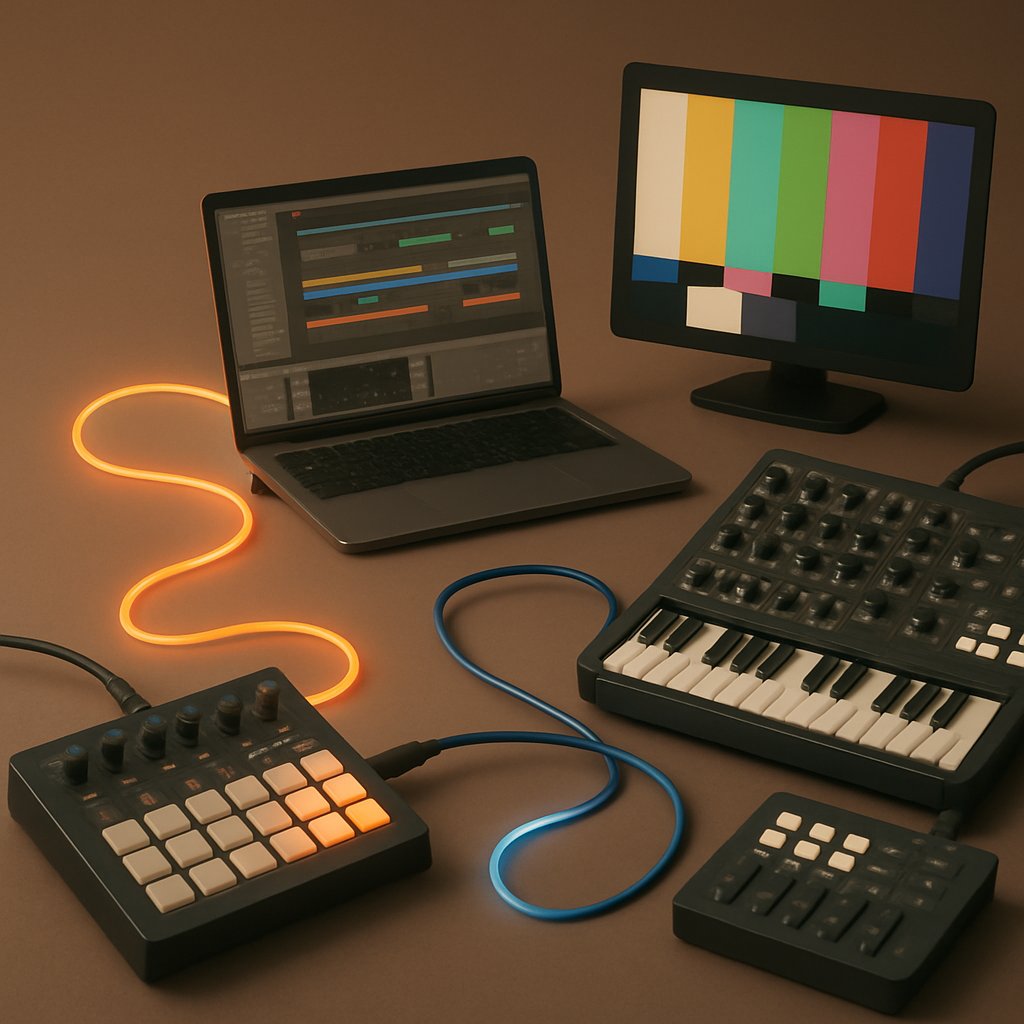
Bringing together drum machines, synthesizers, digital audio workstations (DAWs), lighting, and visuals can open up a world of creative possibilities. But to get the most out of all these tools working together, synchronizing them reliably is essential. MIDI sync makes it possible to run everything in perfect time, transforming potential chaos into tightly coordinated performances and productions. Whether you’re a musician, producer, or show designer, understanding MIDI sync and timecode is fundamental for building setups that just work, both in the studio and on stage.
Even as technology advances, MIDI remains crucial, acting as the connective tissue in modern studios and live rigs. Gaining confidence with MIDI sync empowers you to coordinate anything from intricate musical arrangements to lighting effects and visuals. Let’s explore how MIDI synchronization functions, its building blocks, and how to set up reliable sync for any situation.
What Does “Sync” Mean, and Why Is It Important?
At its core, synchronization means keeping all your devices running together at the same tempo and in the same place in a song or show. This keeps performances tight and professional—imagine a group dance performed perfectly in unison, compared to the confusion that would result if each dancer followed a different song. Precise timing isn’t just desirable; it’s essential. Even small drift or lag is obvious in music and shows, which is why musicians, engineers, and techs rely on MIDI sync to keep everything locked in.
The Key Components of MIDI Synchronization
Several core messages and protocols make MIDI sync work effectively. Each has a job:
- MIDI Clock: Sends constant timing pulses (24 per quarter note) to set a shared tempo.
- MIDI Timecode (MTC): Communicates the precise hour, minute, second, and frame location, vital for syncing with video and film.
- Song Position Pointer (SPP): Communicates the current bar and beat so devices can start playback from any point in the song.
- Transport Commands (Start/Stop/Continue/Reset): Ensures everything starts, stops, or pauses together, so your performance flows smoothly.
With these tools, you can maintain tight musical timing, reset from any position, and even align your music with video or lighting cues. To fully appreciate how each piece contributes, it helps to look closer at how they work and when to use them.
MIDI Clock and Timecode: Tempo and Precision
Let’s begin with the two main synchronization methods: MIDI Clock and MIDI Timecode. Both serve to keep devices in sync, but each tackles a different aspect of timing.
MIDI Clock: The Universal Tempo Source
MIDI Clock acts as your system’s heartbeat. By sending a constant stream of timing pulses, it ensures every connected device matches the master tempo—whether that’s your DAW, a hardware sequencer, or drum machine. This is ideal for keeping synths, samplers, and rhythm machines playing in time, both in the studio and during live sets.
However, MIDI Clock details how fast time is moving, not where you are in your track. If you want to start playback in the middle of a song, MIDI Clock alone can’t tell followers the right place to jump in; they simply pick up at whatever point the master is currently sending. This limitation becomes more noticeable in larger or more complicated arrangements. Also, in sprawling setups, long cable runs or overworked USB hubs can introduce delays or jitter, potentially knocking your timing off.
MIDI Timecode (MTC): Frame-Accurate Positioning
For scenarios where tempo alone isn’t enough—such as syncing audio with video, stage cues, or lighting transitions—MIDI Timecode shines. MTC delivers position information down to the frame, allowing devices to jump to, and remain on, the exact timeline location. If MIDI Clock is the metronome, MTC is the digital clock, reading out whether you’re at 1:17:05 or at the top of the next bar. To get a more in-depth explanation of how MTC works—including its message types and technical specifications—check out this comprehensive guide to MIDI Time Code (MTC) provided by the MIDI Association.
Choosing between MIDI Clock and MTC depends on your needs. For straightforward musical synchronization, MIDI Clock does the job. But when you need precise scene changes, film scoring, or live video support, MTC is your tool for comprehensive, frame-accurate coordination.
Song Position Pointer and Transport: Navigating and Controlling Your Setup
Sometimes, simply running everything at a steady tempo isn’t enough—you might want to jump to specific parts of a song or make sure every device starts and stops exactly together. This is where Song Position Pointer (SPP) and transport commands come in.
SPP tells every device where the starting point is, down to the bar and beat. This is particularly helpful in rehearsals or when editing, as you can start playback immediately from a desired section. Transport commands—Start, Stop, Continue, and Reset—are the fundamental instructions that guarantee a unified performance. When set up correctly, pressing play in your DAW ensures all gear launches together; hitting stop brings everything to a halt. Neglecting these basics can lead to confusion or even a disrupted show.
Together, SPP and transport commands enable smooth navigation and reliable starts and stops, complementing the tempo and timing provided by MIDI Clock or MTC.
Applying MIDI Sync in Real-World Setups
Now that we’ve covered the “what” and “why” of MIDI sync, let’s look at “how” these principles play out, whether you’re recording in the studio, performing live, or integrating lights and visuals into your setup. Each use case brings unique considerations, but the underlying goal is always the same: achieving seamless, hassle-free coordination.
In the Studio: Creative Efficiency
When recording or producing, flawless sync allows for effortless layering and editing. Designate your DAW as the master clock to ensure all MIDI hardware stays locked in place. This not only yields perfectly aligned tracks, but keeps creative momentum flowing—no time lost wrangling with drifting beats or misaligned parts.
On Stage: Keeping Performances Tight
Live settings are unforgiving of timing errors. Advance testing is crucial: establish clear master and follower roles, check cables, and consider redundant connections where practical. Reliable clock distribution frees you up to focus on your performance rather than technical issues. Planning ahead brings confidence—and the ability to adapt if something goes off-script mid-set.
Integrating Lights and Visuals: Unified Show Control
Modern performances often go well beyond sound, integrating lighting and visuals to elevate the audience experience. MIDI Show Control (MSC) extends MIDI’s reach to lighting consoles, allowing scenes to follow music changes for dynamic, in-sync shows. For visuals such as video projection or VJ effects, transmit MIDI or MTC from your DAW directly to your visual software. This signal allows every element, from light blips to video transitions, to track your music in real time. Choosing gear that supports MIDI control streamlines this integration, resulting in truly unified productions.
How to Set Up MIDI Sync: Practical Advice
Setting up reliable MIDI sync is both an art and a science. With the right approach, your setup can scale from a simple DAW-and-synth combination to an elaborate arrangement including vintage hardware, lighting, and video.
Connections and Cabling
Classic MIDI 5-pin DIN cables remain common, but many devices today also support MIDI-over-USB or network routing. Daisy-chaining can work for smaller systems, but larger rigs risk introducing delays. For such setups, invest in dedicated MIDI interfaces or thru boxes to maintain signal timing. The general rule: one single master clock with all other devices acting as followers avoids confusion and drift.
Handling Mixed Gear and Modern Workflows
If you’re combining older MIDI hardware with USB- or software-based instruments, plan your MIDI routing carefully. Interfaces or routers can help blend different connection types, ensuring every device gets the messages it needs. Efficient setup spares you from frustration and lets you focus on creative work.
Advanced Synchronization Techniques
Bigger or more complex setups might use additional sync technologies, such as SMPTE for audio/video or OSC for networked instruments. In these situations, latency and jitter become more noticeable, making hardware synchronizers, dedicated router configuration, and regular testing essential for stability across both legacy and modern equipment.
Best Practices for Reliable Sync
The most sophisticated gear can only do so much without good planning and consistent habits. Here are some steps to help you keep things running smoothly:
- Check compatibility so each device supports the sync method you plan to use.
- Choose the most stable device (often the DAW or main sequencer) as your clock master.
- Test your full setup before recording or performing, and identify any weak spots.
- Have a troubleshooting routine: swap cables, check gear individually, and confirm master/follower roles as your first response to sync problems.
- Where possible, build in redundancy—especially for live performances.
The Future of MIDI Sync
MIDI’s foundations are evolving. MIDI 2.0 introduces higher-resolution timing, smarter device communication, and new USB/network features. These changes make syncing multiple devices more robust and flexible, reducing technical hassles so you can focus on creativity. Keeping up with these developments puts new tools and workflows within your reach as they become available.
At the same time, fully integrated show control—where audio, lighting, video, and FX are synchronized over networks—is becoming the norm in professional production. Familiarity with emerging sync standards will help you realize broader creative visions and adapt as technology advances.
Summary: The Value of Mastering Sync
Learning the ins and outs of MIDI synchronization may seem technical at first, but it’s one of the simplest ways to make every performance and production shine. By taking the time to understand and implement reliable MIDI sync, you’re laying the groundwork for professional results—whether you’re running a solo setup or leading a large-scale production. In the end, dependable sync lets you spend your energy where it counts: on expressive music and unforgettable shows.