
Audio Answers:
What Is a MIDI Controller and How Does It Work?
Question: “I keep seeing the words ‘MIDI controller’ when people talk about making music with computers. Can someone explain to me what a MIDI controller is and what it actually does?”

Photo by Dejan Krsmanovic, licensed under CC BY 2.0
Understanding MIDI Controllers: Your Key to Expressive Music-Making
Whether you’re a budding producer or a live performer, bridging your musical ideas with technology is now easier than ever—largely thanks to MIDI controllers. Put simply, a MIDI controller is usually a keyboard or a set of drum pads that connects to your computer and lets you trigger sounds in music software.
These powerful devices don’t make sound by themselves, but they act like translators, carrying your creative intentions to digital studios, synthesizers, and beyond. Understanding how MIDI controllers work, what makes them unique, and how to choose one can set a strong foundation for your journey in music creation.
MIDI: The Language Behind the Music
To make sense of what a MIDI controller does, it helps to understand the basics of MIDI itself. MIDI stands for Musical Instrument Digital Interface. Born in the early 1980s, MIDI is a universal language for musical devices, allowing keyboards, computers, drum machines, and other gear to “talk” to each other.
Unlike audio signals, MIDI transmits data: which notes you play, how hard you press them, how long each note lasts, and how you’ve tweaked various controls. When you press a key on a MIDI keyboard, it sends data, not sound—the actual audio only happens when this data reaches another device, such as a synthesizer or software instrument. This separation between control and sound production is central to the flexibility and power of MIDI.
For those curious about the technical side, you can dive deeper into the original official MIDI 1.0 Detailed Specification provided by the MIDI Manufacturers Association. It covers the complete ins and outs of the MIDI protocol and how devices interconnect.
By using a consistent digital language, MIDI allows a wide range of devices to sync, sequence, and automate complex performances. From studio setups to live stages, this connectivity makes MIDI controllers invaluable for musicians aiming to streamline and enhance their musical expression.
What MIDI Controllers Actually Do
At their core, MIDI controllers convert your musical gestures—pressing keys, tapping pads, twisting knobs—into digital messages. These messages get routed to other hardware or software, telling instruments what notes to play, which sounds to trigger, or how to adjust effects.
Controllers are therefore not limited to one role; they’re adaptable. You might use the same device to play piano parts, launch drum samples, mix tracks, or even control lighting, provided your setup supports MIDI. This versatility makes MIDI controllers a central link between your musical instincts and today’s ever-evolving technology.
Types of MIDI Controllers: Finding Your Match
Because musicians’ needs vary, MIDI controllers come in an array of shapes and sizes, each serving different creative purposes. Let’s look at the main categories—many musicians combine several types as their skills grow.
Keyboard Controllers
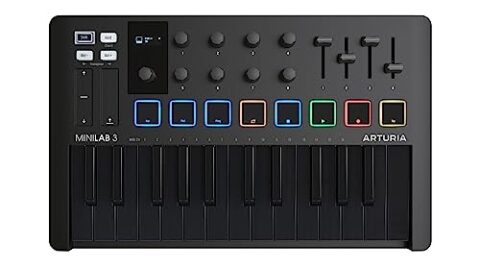
When people think of MIDI controllers, they often picture keyboards. These range from compact 25-key models to full-sized 88-key versions. The feel, or “action,” of the keys matters:
- Synth-action keys are light and springy for fast play.
- Semi-weighted action adds some resistance.
- Hammer-action keys mimic the feel of an acoustic piano.
Features such as velocity sensitivity (responding dynamically to how hard you play) and aftertouch (when pressing down further changes the sound) bring additional expression and realism.
Pad Controllers
If rhythm and sampling are your focus, pad controllers are essential. Their grid of touch-sensitive pads is perfect for finger drumming, triggering loops, or sequencing beats. Quality pads are sensitive to varying dynamics, providing nuanced control whether you’re in the studio or on stage.
Control Surfaces and Specialized Controllers
Some controllers focus on giving you tactile control over recording, mixing, or unique performance techniques:
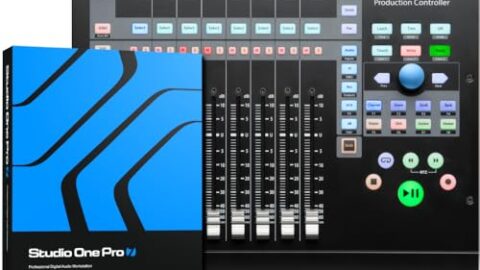
- Control surfaces feature physical faders, knobs, and transport buttons for hands-on mixing within your recording software (DAW), often making workflow faster than using a mouse.
- Wind and guitar controllers translate breath, finger placement, or guitar technique into MIDI messages, making traditional instrumental skills relevant in digital music-making.
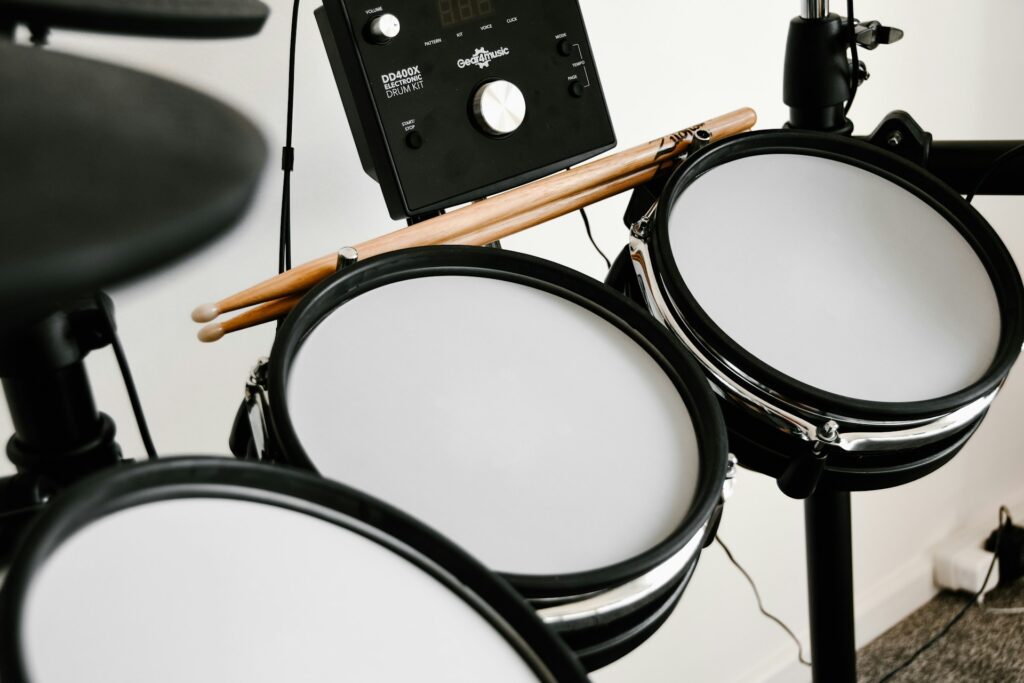
- Drum kits and DJ controllers include electronic drum pads, jog wheels, and more, designed for instrument-specific play or DJ performances.
- Beyond these, experimental controllers like ribbon strips, touch plates, or multidimensional expressive devices (such as MPE boards) offer new frontiers for controlling sound.
How MIDI Controllers Work: Messaging, Connections, and Software
Understanding the inner workings of a MIDI controller helps you make the most of your setup.
MIDI Messages: Every action on your controller sends a specific command—whether it’s a “Note On,” “Control Change” (for things like volume or filter tweaks), or “Program Change” (to switch sounds). Each device can communicate over up to 16 MIDI “channels,” letting you route different instruments to different controls.
Connectivity: While classic MIDI gear used 5-pin DIN cables, most modern controllers connect via USB for convenience. Wireless Bluetooth options are increasingly popular, making portable setups and clutter-free workspaces easier than ever.
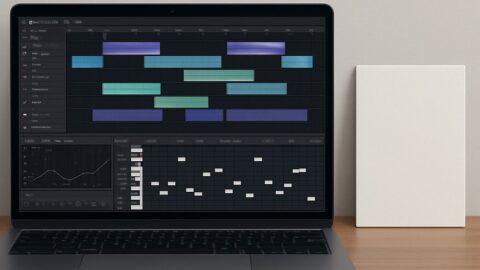
Software Integration: Digital Audio Workstations (DAWs) like Ableton Live, Logic Pro, and FL Studio allow you to “map” physical knobs or pads on your controller to virtually any function in your software. This mapping is often customizable, so your controller setup evolves along with your creative workflow.
Key Features to Consider When Shopping
Given the diversity of controllers, recognizing which features fit your approach will help you narrow down choices:
- Assignable Controls and Presets: Many controllers let you reprogram (or “assign”) each knob, button, or pad, allowing deep personalization. Quick preset switching makes it easy to jump between setups.
- Pitch and Modulation Controls: Wheels, strips, or external pedals let you bend notes and modulate effects in real time, crucial for expressive performances.
- Visual Feedback: Built-in displays, indicator lights or screens show you what’s active, helping you stay focused on music (not your computer monitor).
- Power Options: USB-bus power is portable and travel-friendly, while some larger or hybrid controllers need wall power. Make sure your choice matches your studio or gigging needs.
Why Use a MIDI Controller? Practical Benefits
Integrating a MIDI controller into your setup offers benefits that go far beyond digital convenience.
- More Expressive Performances: Features like aftertouch and velocity sensitivity allow you to inject natural dynamics and feeling—even when using virtual instruments.
- Faster Workflow: Hands-on controls speed up everything from sound design to mixing, helping you get musical ideas down without getting lost in menus or mouse clicks.
- Portability: Many controllers are compact enough to slip into a backpack, empowering you to make music anywhere—from home to rehearsal rooms or the stage.
Choosing the Right MIDI Controller for You
Selecting a controller is ultimately about matching your intentions with the right features:
Start with Your Needs: Consider whether you mostly compose in a studio, perform live, or want a balance. Studio producers often want full-sized keys or lots of faders, while live performers prioritize pads, portability, and a rugged build.
Balance Price and Features: Figure out which features matter most to you, and let those needs drive your budget. There are reliable entry models that cover core functions and premium devices packed with extra features.
Trusted Brands and Popular Models: Look for manufacturers like Akai, Novation, Native Instruments, Arturia, Roland, and Korg—these brands are known for quality and compatibility. Mainstay choices like the Akai MPK Mini, Novation Launchpad, or Arturia MiniLab offer a dependable start.
MIDI Controllers in the Real World: Where and How They’re Used
MIDI controllers find roles across a wide spectrum of musical activities:
- In the Studio: They serve as the creative hub for composing, layering, editing, and automating music, often forming the centerpiece of digital production setups.
- On Stage: Performers use controllers to trigger samples, start loops, or manipulate sounds live—all with minimal reliance on a laptop or screen.
- For Education: MIDI controllers help students and teachers visualize theory, record practice sessions, and connect hands-on skills to interactive learning apps like Chordonomy Music Game, making abstract ideas concrete and engaging.
The Future of MIDI Controllers: What’s Next?
MIDI technology continues to grow alongside music itself. Innovations like MPE (MIDI Polyphonic Expression) now deliver finer touch sensitivity, letting musicians shape sounds with previously impossible detail. Wireless and touchscreen controllers are expanding what’s possible, erasing old boundaries and welcoming new creative workflows. As the technology evolves, MIDI remains a powerful connector between human creativity and digital possibility.
Conclusion: Finding Your Creative Partner
A MIDI controller bridges your inspiration with the limitless world of modern music production. By choosing a device that matches your unique needs—whether for composing, performing, or learning—you open up new creative paths and streamline your workflow. With the right MIDI controller at your fingertips, every idea becomes easier to capture, shape, and bring to life.



[…] Before we dive into the review, if you’d like a refresher on controllers, we’ve put together a quick guide: What is a MIDI controller and how does it work? […]
[…] AKAI Professional MPD218 (see current price) is a USB MIDI controller for those who value hands-on control in their music production setup. Designed with simplicity and […]