You’ve found a chord progression you love, and now you want a melody on top. So you click it in with the mouse, one note at a time, press play, and it sounds like a robot reading sheet music. Every note is the same length and the same loudness, and it’s always exactly on the grid.
That stiffness is the sound of a melody nobody played. A MIDI keyboard fixes it: you play the part in, and your timing and touch come with it. Choosing the best MIDI keyboard for beginners isn’t about knobs or screens, though. It’s about how many keys you need and how they feel, so this guide picks one keyboard for each way you might play, and names a second where a different reader would be better off with it. Not sure what a MIDI keyboard actually does? Our guide to what a MIDI controller is explains it in a few minutes.
25, 37, 49, 61 or 88 keys?
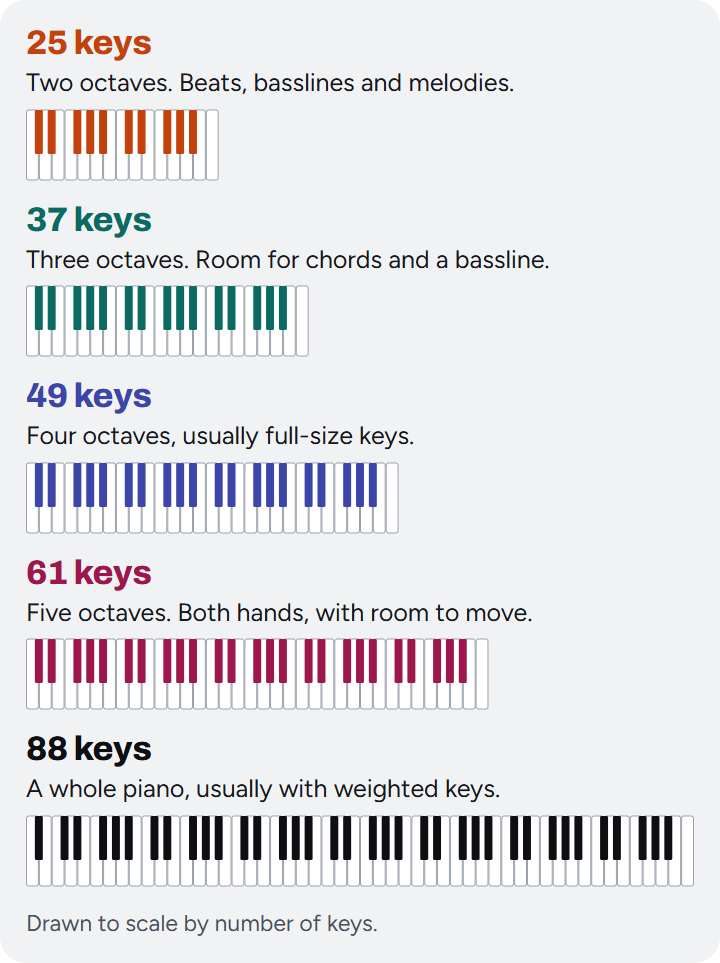
Start with how many keys you need, because it decides almost everything else: how big the keyboard is, how the keys feel, and roughly what you’ll pay.
25 keys is two octaves. That’s enough for basslines, melodies and finger drumming, and it fits in front of a laptop on a small desk. It isn’t enough for chords in one hand and a bassline in the other.
37 keys is three octaves, the smallest size where playing with two hands starts to make sense. If you write chords, this is where we’d start.
49 keys usually means full-size keys, the same width as a piano’s. That matters more than it sounds: if you ever want to play properly, what your fingers learn on full-size keys carries over to a real piano.
61 keys is five octaves: enough for most piano parts with both hands, and the classic size for synths and stage keyboards. It’s the size to get if you already play a little, or mean to, and an 88 won’t fit.
88 keys is a whole piano, usually with weighted keys that push back like the real thing. Buy one if learning piano is the point. Otherwise it’s a lot of desk to give up for keys you’ll rarely reach.
Still not sure? If you make beats, 25 keys will do. If you write songs, start at 37 or 49, because chords run out of room fast on two octaves. If you already play with both hands, go to 61.
The picks at a glance
| If you want | Our pick | Price | Keys | The catch |
|---|---|---|---|---|
| Beats on a small desk | Akai MPK Mini IV | $99 | 25 mini | No room for two hands |
| Chords and two hands | Novation Launchkey Mini 37 MK4 | $159.99 | 37 mini | Mini keys, touch strips for wheels |
| Full-size keys | Novation Launchkey 49 MK4 | $279.99 | 49 full-size | Takes up a desk |
| Two hands with room | Novation Launchkey 61 MK4 | $329.99 | 61 full-size | Nearly three feet wide |
| Learning piano | M-Audio Hammer 88 | $549 | 88 weighted | Big, heavy and silent on its own |
Two of the picks also come with a second keyboard worth a look: a nicer small keyboard for melodies under the beats pick, and a step up under the piano pick.
Best MIDI Keyboard for Beats: Akai MPK Mini IV
Check the price on Amazon $99 when we checked
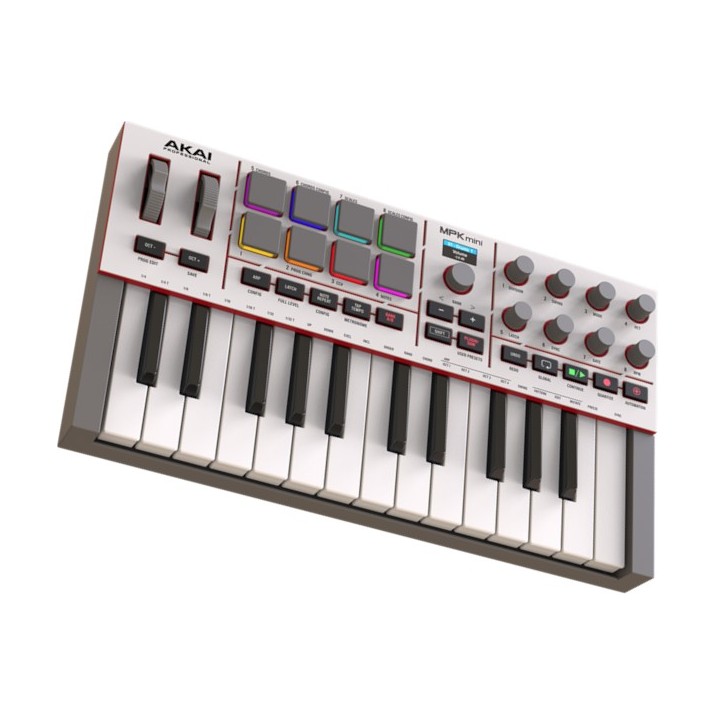
The MPK Mini has been the first keyboard on a lot of producers’ desks for years, and the fourth version fixes the things people used to complain about. The little joystick is gone, replaced by real pitch and mod wheels. There’s a proper five-pin MIDI Out for driving a hardware synth later, a color screen, and a keybed Akai says is new. Audiofanzine found the new keys more pleasant and quicker to respond than the last model’s, and SoundGuys said the pads “feel extremely responsive”.
Those eight pads are the reason it’s our pick for beats. They’re Akai’s MPC-style pads, the ones finger drummers grew up on, and they sit right next to the keys, so you can tap out a drum pattern and then play the bassline without changing anything. Ableton Live Lite 12 and Akai’s collection of over 1,000 sounds come with it, so you have something to play the day it arrives.
The catch is the size, which is also the point. These are mini keys, two octaves of them, so chords with a bassline underneath are out, and anyone hoping to learn piano will outgrow it fast. There are eight knobs but no faders, and SoundGuys found setup took some patience: registering, installing Akai’s software manager and updating the firmware before it all worked.
None of that matters if you make beats on a laptop. For $99 it’s the one to get.
Also good, for melodies: Arturia MiniLab 3
Check the price on Amazon $119 when we checked
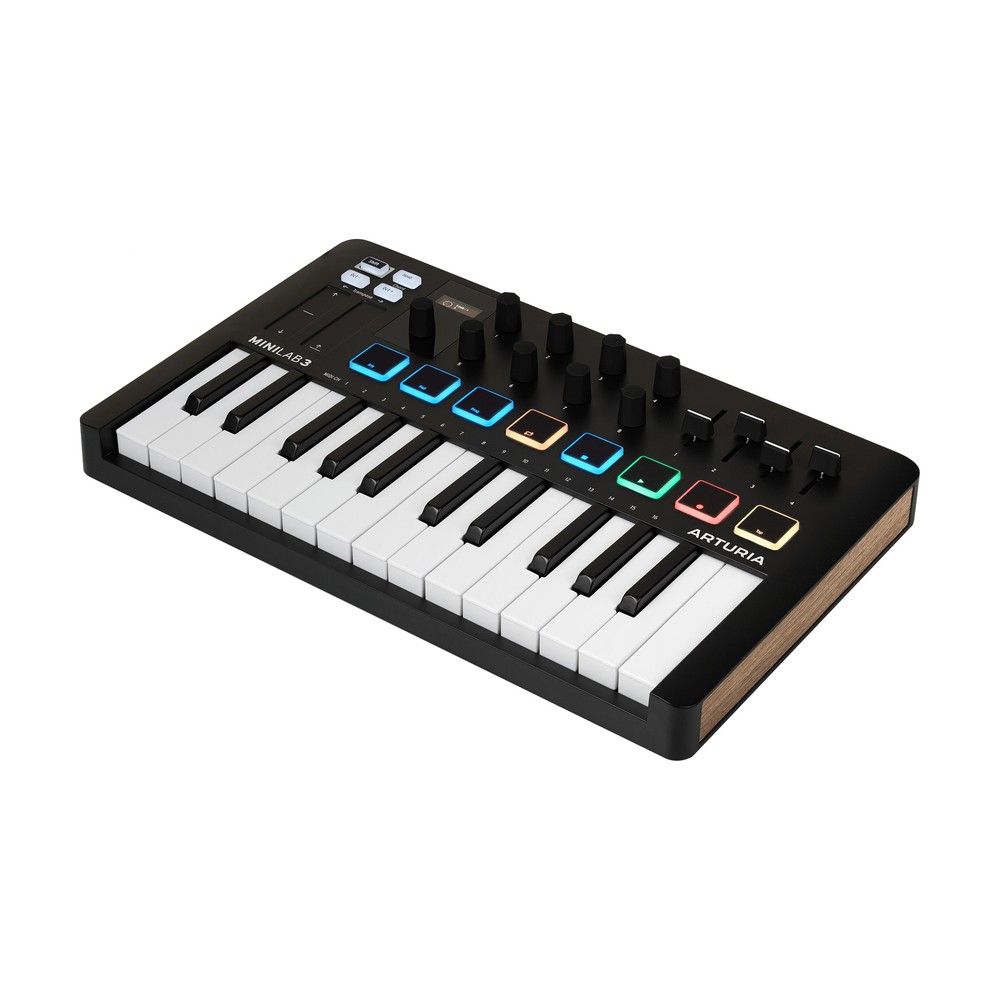
If you play more melody than drums, get the Arturia MiniLab 3, which we reviewed. It’s the same size, with eight pads of its own, but the keys are the better part: Audiofanzine still found Arturia’s small keys more comfortable than Akai’s new ones. It adds four faders, handy for setting levels as you go, and a chord mode and an arpeggiator for ideas. Ableton Live Lite comes with it, and so does Analog Lab Intro, a starter set of Arturia’s synth and keyboard sounds.
The catch is the pads. They’re fine for tapping in a beat, but they aren’t Akai’s MPC-style pads, so if drums come first, the MPK is still the one.
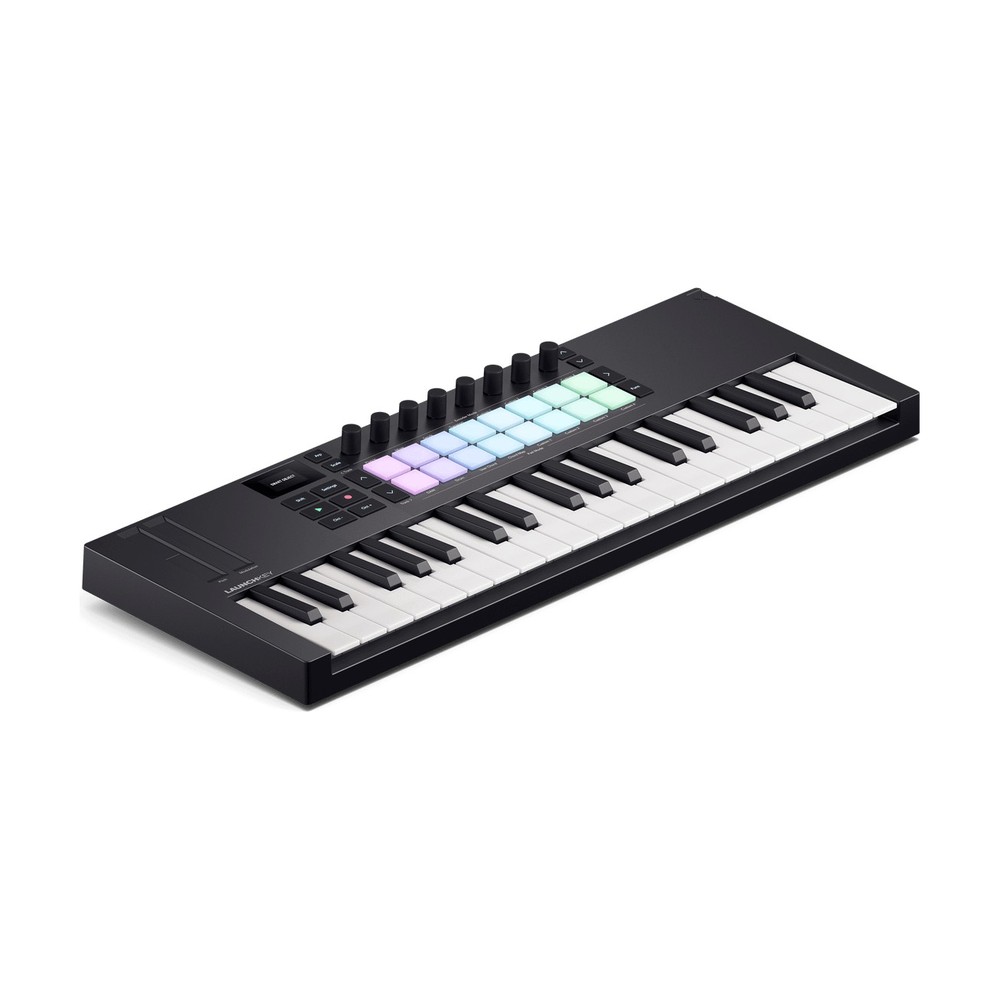
Best MIDI Keyboard for Chords: Novation Launchkey Mini 37 MK4
Check the price on Amazon $159.99 when we checked
This is the one we’d tell most beginners to buy. Three octaves is the smallest keyboard where your left hand can hold a bass note while your right plays the chord, and at about 19 inches wide the Launchkey Mini 37 still fits on a small desk. Sound On Sound’s reviewer liked it enough to say “the Mini 37 could easily stick around as my day-to-day controller”.
What makes it great for a beginner is how much it helps with the music itself. Scale mode locks the keys to one of 30 scales, so a wrong note either snaps to the nearest right one or doesn’t sound at all. Fixed Chord lets you play a whole chord with one finger and move it around the keyboard. Neither is cheating; they’re a way to get ideas down while your hands catch up with your ears. The 16 pads respond to how hard you press even after you’ve hit them, and Sound On Sound called its link with the included Ableton Live 12 Lite “flawless”.
The catches: the keys are mini keys, and, as Sound On Sound noted for the whole range, they don’t respond to pressure after you hit them the way the pads do. Pitch and mod are touch strips rather than wheels, which take some getting used to. And the MIDI Out is a small 3.5 mm jack, so you’ll need an adapter cable for a hardware synth.
Want three octaves of full-size keys instead? The Launchkey 37 MK4 is the same idea with bigger keys, for about $70 more at Novation’s own store. For most people starting out, though, the Mini 37 is the sweet spot.
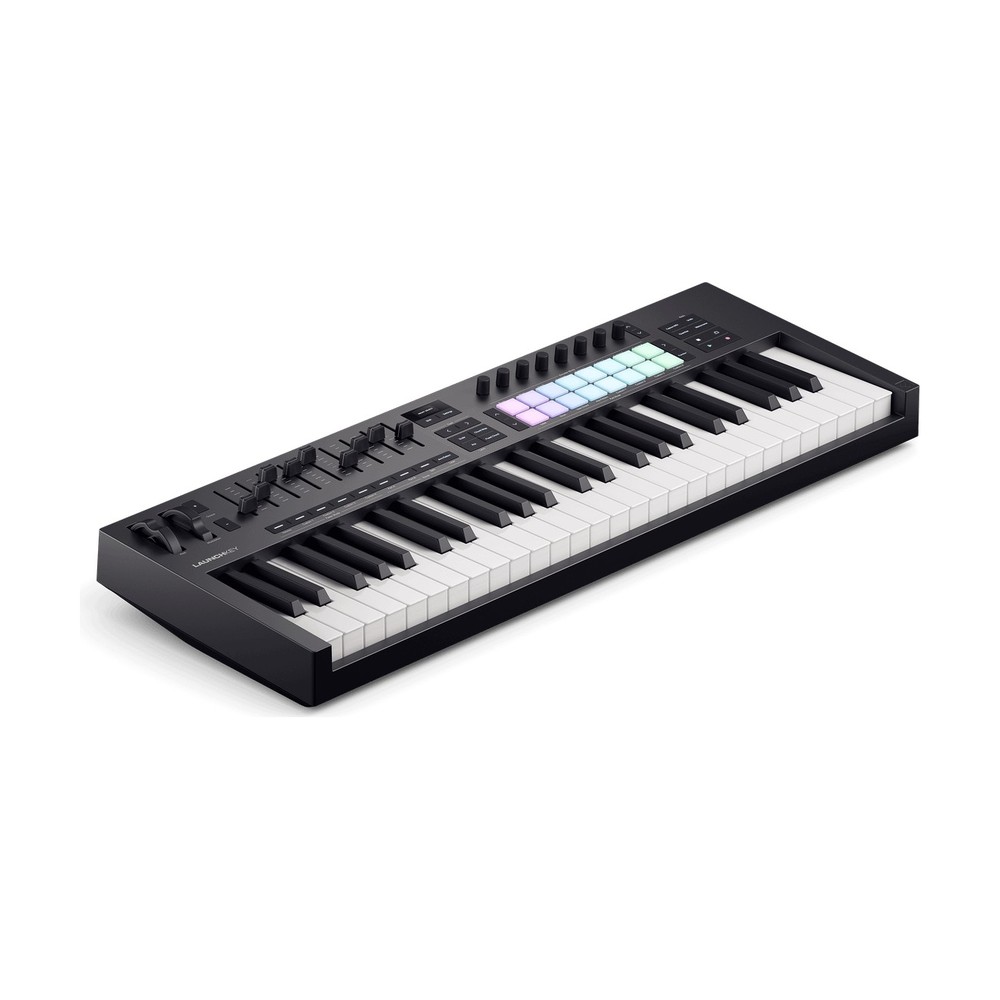
Best Full-Size MIDI Keyboard: Novation Launchkey 49 MK4
Check the price on Amazon $279.99 when we checked
Four octaves of full-size keys is where a MIDI keyboard starts to feel like an instrument. The Launchkey 49 has the same scale and chord features as the Mini. As Sound On Sound points out, the 49 and 61 are the only ones in the range with faders and a semi-weighted keyboard with a piano-style lip, and they can split the keyboard so your left hand plays one sound and your right another.
Semi-weighted means the keys push back a little, more than a cheap synth and less than a piano. For a beginner who might want to learn some piano later, that’s a good place to start: your fingers learn real key widths and a bit of resistance, without a 40-pound keyboard on the desk (the 49 weighs about 9 pounds).
The catches: Sound On Sound found the 49 and 61 “a bit on the chunky side”, and the 49 is 73 cm wide, about 29 inches, so measure your desk first. The keys don’t respond to pressure after you hit them, and the screen is tiny. It also costs more than it did at launch: $249.99 then, $279.99 when we checked.
If you’d rather have a big library of sounds to play from day one, the Arturia KeyLab Essential 49 mk3 comes with Arturia’s Analog Lab, thousands of synth and keyboard sounds, and Sound On Sound called the way the two work together “sublime”. It also found the plastic case flexes a little under hard chords, though. And if the budget is tight, the M-Audio Keystation 49 MK3 gives you 49 full-size keys and not much else for $129.
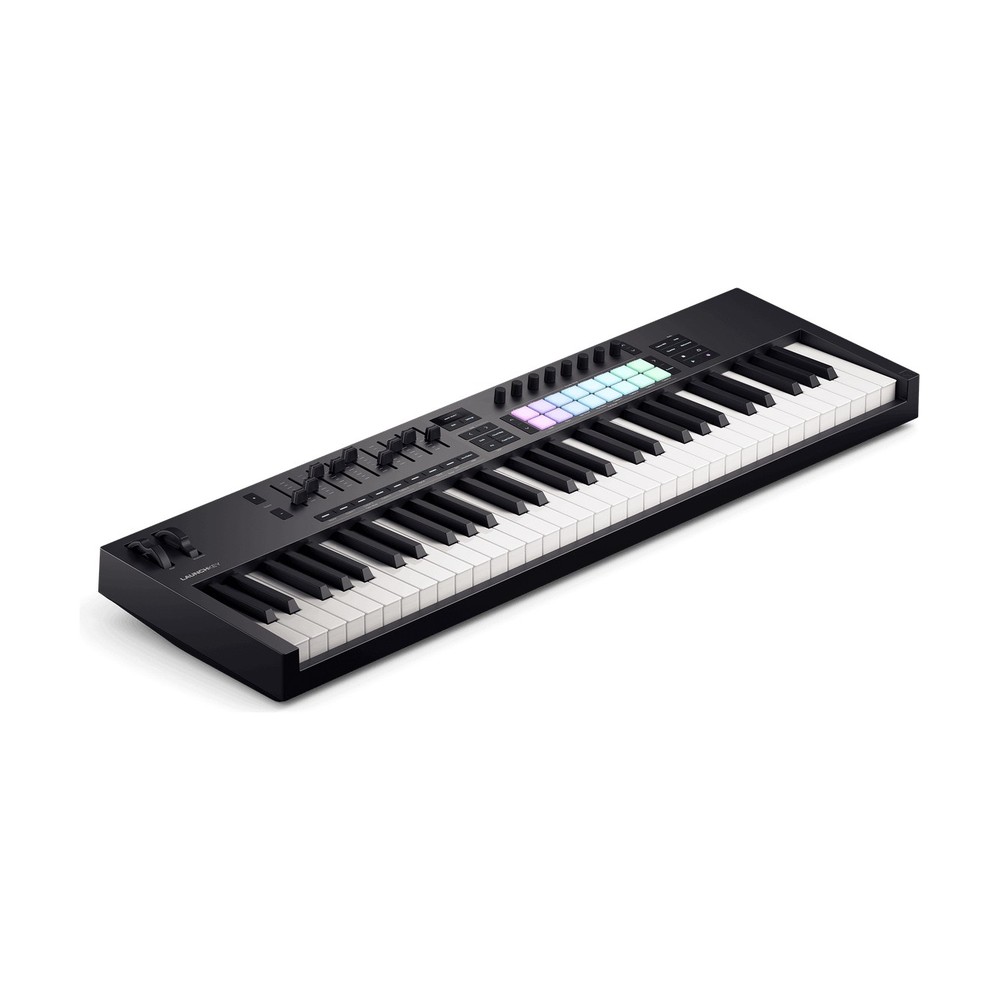
Best 61-Key MIDI Keyboard: Novation Launchkey 61 MK4
Check the price on Amazon $329.99 when we checked
Five octaves is where playing with two hands stops feeling cramped. Your left hand can walk a bassline while your right plays the chords and a melody over them, and most piano pieces fit without jumping octaves. If you already play a little, or you play in a band, this is the size that feels like a real keyboard.
The Launchkey 61 is our 49 pick with a fifth octave. It has the same semi-weighted keys with a piano-style lip, the same nine faders and 16 pads, and the same scale and chord modes. The extra room makes the split more useful, too: a bass sound across the bottom two octaves and a piano or a pad across the top three, played at once.
The catches are the 49’s, only bigger. It’s 89.5 cm wide, about 35 inches, and weighs about 10.5 pounds, so it needs a proper desk or a keyboard stand. The keys don’t respond to pressure after you hit them. And like the 49, it costs more than at launch: $299.99 then, $329.99 when we checked.
Want lots of sounds more than lots of controls? The KeyLab Essential mk3 comes in a 61-key version too, with the same Analog Lab library as the 49.
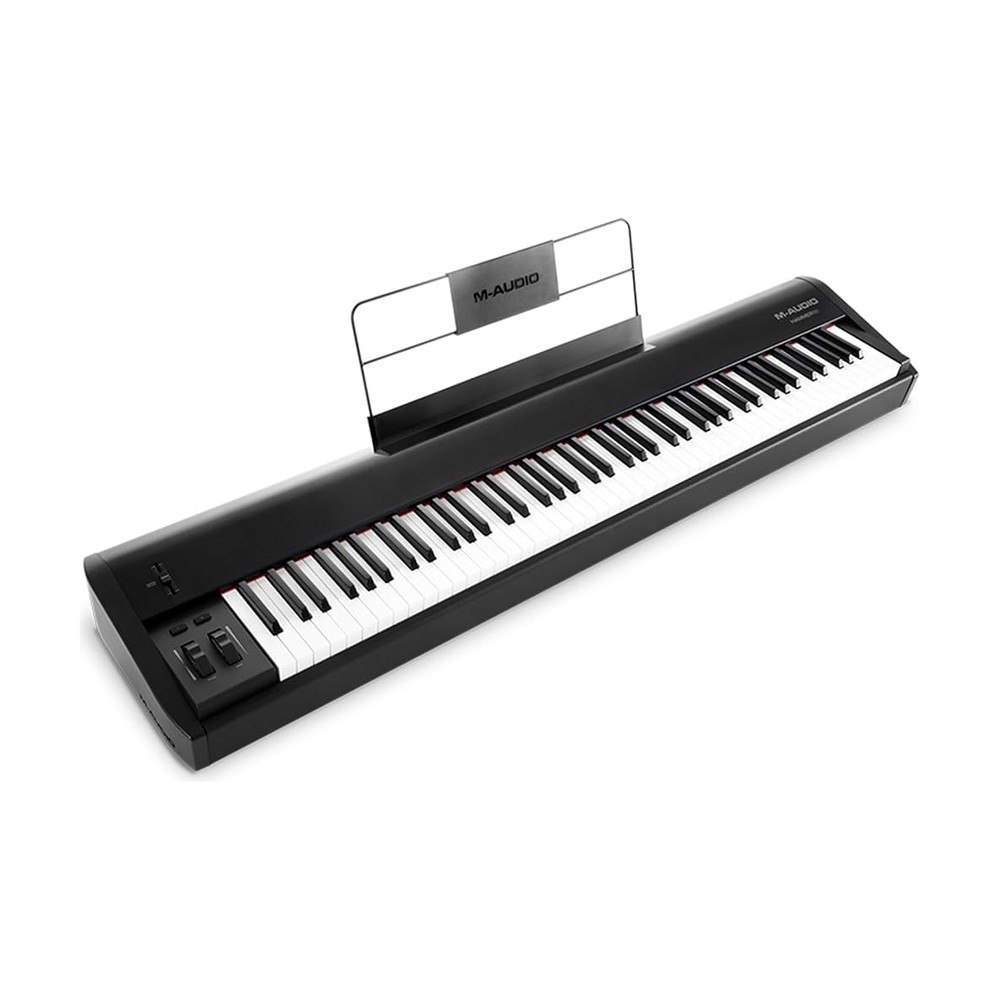
Best MIDI Keyboard for Learning Piano: M-Audio Hammer 88
Check the price on Amazon $549 when we checked
If you want to learn piano, you need 88 keys that feel like a piano’s, and that’s the Hammer 88. Every key is fully weighted with a hammer action, so it pushes back the way a real piano does, and what your fingers learn here carries over when you sit down at one. Sound On Sound called it “a quality bit of kit for the money”, with a weighted action that’s light enough for fast playing and heavy enough to be satisfying.
It keeps things simple: pitch and mod wheels, one fader, and three pedal inputs, sustain among them. A sustain pedal is the first thing to add, because piano music without one sounds choppy. It also has a MIDI Out and runs on USB power alone.
The catches are mostly size. It weighs 17.5 kilos, almost 40 pounds, and needs a desk or a stand the length of a piano. The keys don’t respond to pressure after you hit them. And like every keyboard in this guide, it makes no sound by itself: no computer, no piano. If that’s a problem, a digital piano with a USB port does both jobs, and that’s worth a look if learning piano is the whole plan.
Also good, if your budget stretches: Roland A-88 MKII
Check the price on Amazon $1,399.99 when we checked
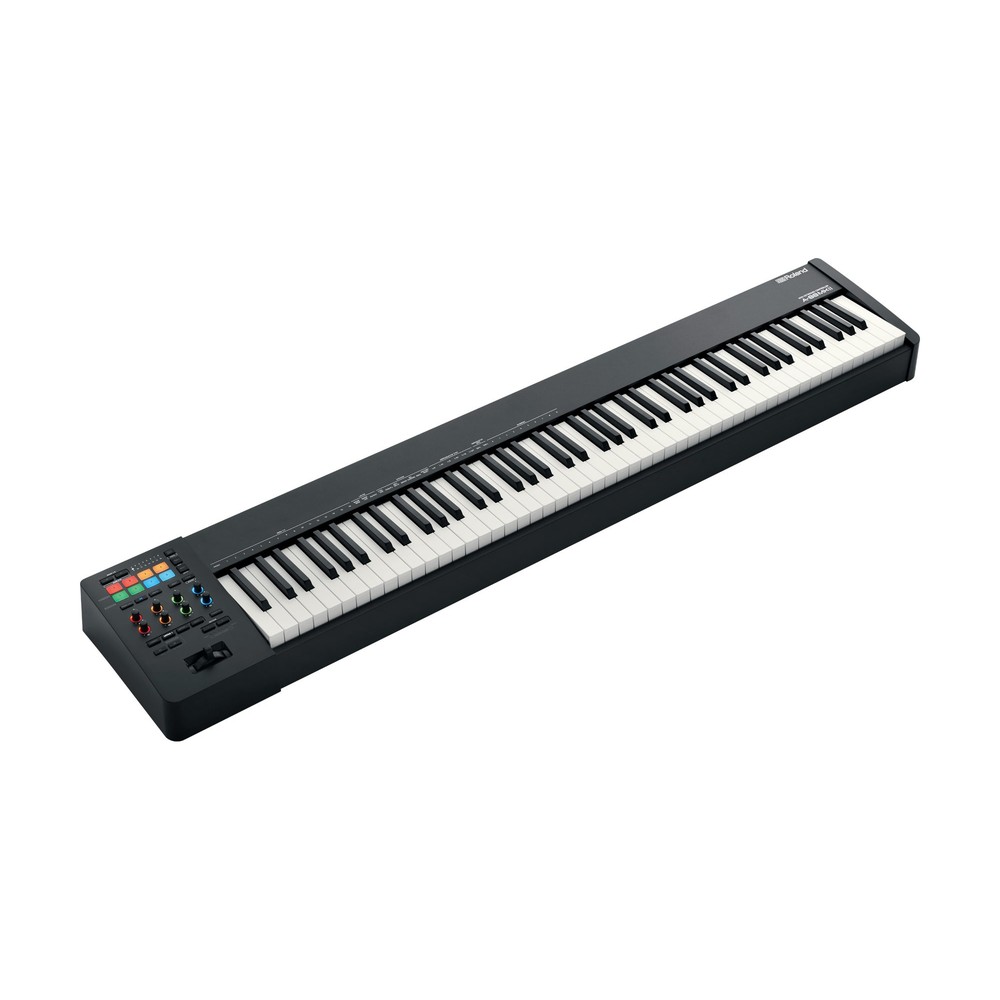
The Roland A-88 MKII we reviewed has Roland’s PHA-4 keys, with the escapement and ivory feel of a good digital piano. MusicTech called playing it “a responsive and assured experience”. It also adds eight pads and a row of knobs, a MIDI In as well as an Out, and three pedal inputs, so a full set of piano pedals works.
The catch is the price. At $1,399.99 when we checked, it’s more than most beginners need, and the Hammer 88 gets you real piano keys for well under half that. Buy the Roland if piano is the point and you know you’ll stick with it.
Pads, knobs and faders: what beginners actually use
Every keyboard here comes covered in extra controls, so it’s fair to ask which ones you’ll touch. The honest answer is: fewer than you think. Most beginners use the keys, the play and record buttons, and a knob or two for sweeping a filter. That’s why we picked on the keys.
Pads earn their place if you make beats. Finger drumming on pads feels like playing, while clicking drums into a grid feels like typing. If your keyboard has few pads or none, a separate pad controller like the Akai MPD218 adds 16 of them beside it.
Knobs and faders matter more later, when you start mixing and shaping sounds. If you find you want more of them, a small box like the Behringer X-Touch Mini adds knobs for very little, and a dedicated mixing controller like the PreSonus FaderPort 8 gives you motorised faders. Neither is a first purchase.
Will it work with my DAW?
Yes. Every pick here connects over USB and works without drivers, and every music program understands MIDI: FL Studio, Ableton Live, Logic Pro, GarageBand and the rest. If you’re still choosing one, our guide to what DAWs are will help. A MIDI keyboard doesn’t need an audio interface, either; it plugs straight into your computer. You’ll want an interface later for recording a mic or a guitar, and our guide on whether you need an audio interface covers that.
What changes between programs is how much the knobs and buttons do without any setup. The Launchkeys have their deepest links with Ableton Live, which Sound On Sound found the best of the bunch, and ready-made setups for Logic, Cubase, Reason and FL Studio. The MPK Mini IV has scripts for Ableton Live, Logic, FL Studio, Bitwig and Cubase. Our picks all come with Ableton Live Lite, so if you don’t have a program yet, you’ll have one.
Chrome and Edge can use a MIDI keyboard too. Plug one in and open Chordonomy, our game where chords fall down the screen and you play each one before it lands. Practice reading notes and chords on the beat with Random Notes, or work through every scale with Random Keys, which picks a key for you, writes out its scale and plays it.
How we picked
MIDI keyboards make no sound of their own, so we judge them on how they play and how well they work with your software. We started from professional reviews (Sound On Sound’s reviews of the Launchkey MK4 range, the KeyLab Essential mk3 and the Hammer 88, SoundGuys and Audiofanzine on the MPK Mini IV, MusicTech on the A-88 MKII), then the makers’ published specs, then our own reviews of the MiniLab 3 and the A-88 MKII. Sound On Sound’s Launchkey review covers the 61 as well as the 49. Each pick had to be sold new on Amazon on the day we checked. We redo this guide every year.
Happy producing.