Watch a few music production videos and you’ll see a different program in every one. One producer swears by FL Studio, the next does everything in Ableton Live, and someone in the comments insists that real studios use Pro Tools. Ask a forum which one is best and you’ll start an argument that never ends. It just gets new members.
Here’s what those arguments leave out: every DAW records, edits and mixes. What matters is whether it suits the way you want to make music, and the computer you already have. So this guide doesn’t crown a winner. It picks the best DAW for beginners by need, starting with what you may already own, and only then what’s worth paying for.
Check what you already have
Before you spend a cent, look at what’s already on your computer, and in the boxes your gear came in. There’s a fair chance you own a DAW already.
On a Mac, it’s GarageBand. It comes free on every Mac, it records audio and MIDI, and it has a good set of instruments, drummers and loops. It’s no toy, either: when you outgrow it, Logic Pro opens GarageBand projects as they are, so nothing you made is wasted.
Bought an audio interface or a MIDI keyboard? Look in the box, or in the email you got when you registered it. A lot of beginner gear comes with a starter DAW. Focusrite’s Scarlett interfaces include Ableton Live Lite, and so does every keyboard in our best MIDI keyboard for beginners guide. Live Lite is a proper version of Live with fewer tracks, and Ableton says its license never expires.
On Windows with nothing in the box, there are good free programs too, and we name one below. Either way, try to finish a song or two before you pay for anything. One finished song will teach you more about what you need than any comparison chart, this one included.
What actually differs between DAWs
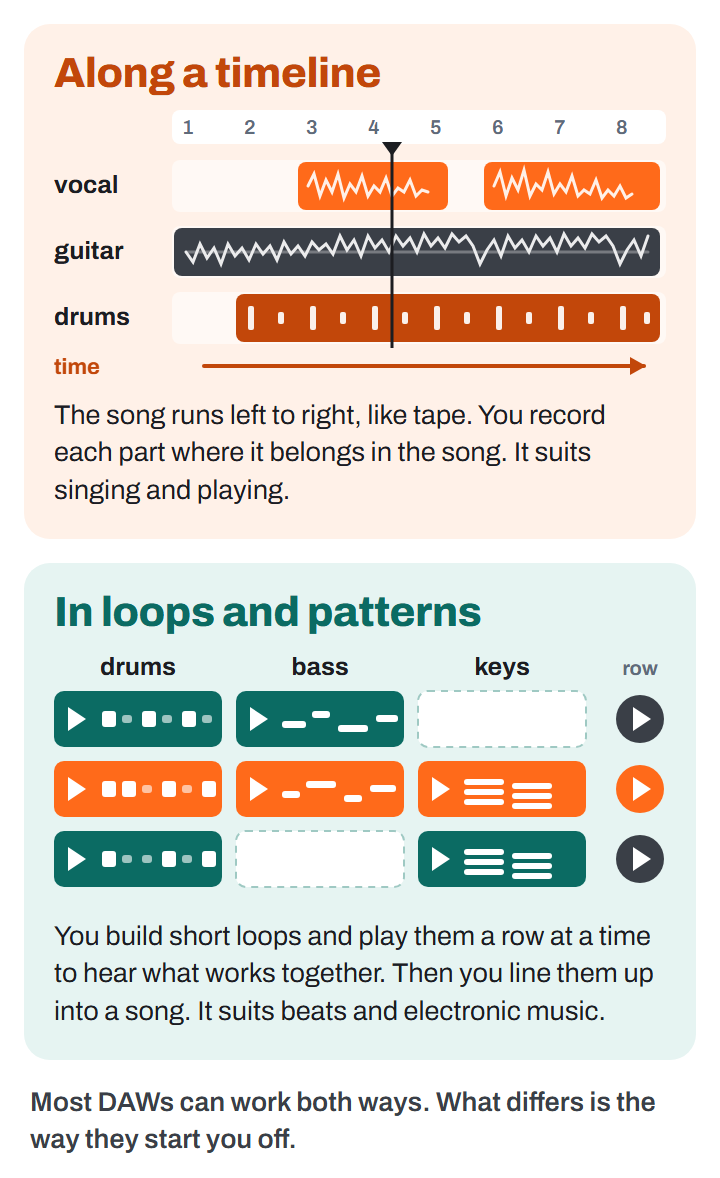
If every DAW can do the job, what are you actually choosing between? Three things, and only the first is about music.
How you write. Some programs start you on a timeline: the song runs left to right, like tape, and you record each part where it belongs. That suits recording yourself singing and playing. Others start you with short loops and patterns that you build, play together and then line up into a song. That suits beats and electronic music. FL Studio is built around patterns, and Ableton Live around its grid of loops, which it calls Session View. GarageBand, Logic Pro and Reaper start you on the timeline. Most DAWs can now work both ways; the question is which feels natural on day one.
Mac or Windows. GarageBand and Logic Pro run only on a Mac, and the current Logic Pro needs a Mac with Apple’s own chips, which Apple calls Apple silicon. Everything else here runs on Windows and Mac, and Reaper and Waveform Free run on Linux too.
What the cheap edition leaves out. Most paid DAWs come in editions, and the cheapest one is cheap for a reason. Usually it limits your tracks: eight in Ableton’s Live Lite, 16 in Live Intro. Sometimes it’s worse. FL Studio’s cheapest edition can’t record audio at all, so no vocals and no guitar. If you sing or play, make sure the edition you buy records audio. Each pick below says which edition to get.
The picks at a glance
| Best for | Our pick | Mac or Windows | Price | The catch |
|---|---|---|---|---|
| Your first songs on a Mac | GarageBand | Mac | Free | Fewer features than paid DAWs |
| Your first songs on Windows | Waveform Free | Windows, Mac, Linux | Free | Only four instruments of its own |
| Making beats | FL Studio Producer Edition | Windows, Mac | $139 | Not at its best recording a band |
| Electronic music and loops | Ableton Live 12 Intro | Windows, Mac | $99 | 16 tracks fill up fast |
| Recording songs on a Mac | Logic Pro | Mac with Apple silicon | $199.99 | Won’t run on older Intel Macs |
| A tight budget | Reaper | Windows, Mac, Linux | $60 | A bare screen and few instruments |
Not sure yet how you want to work? Start with the free pick for your computer.
Best Free DAW: GarageBand on a Mac
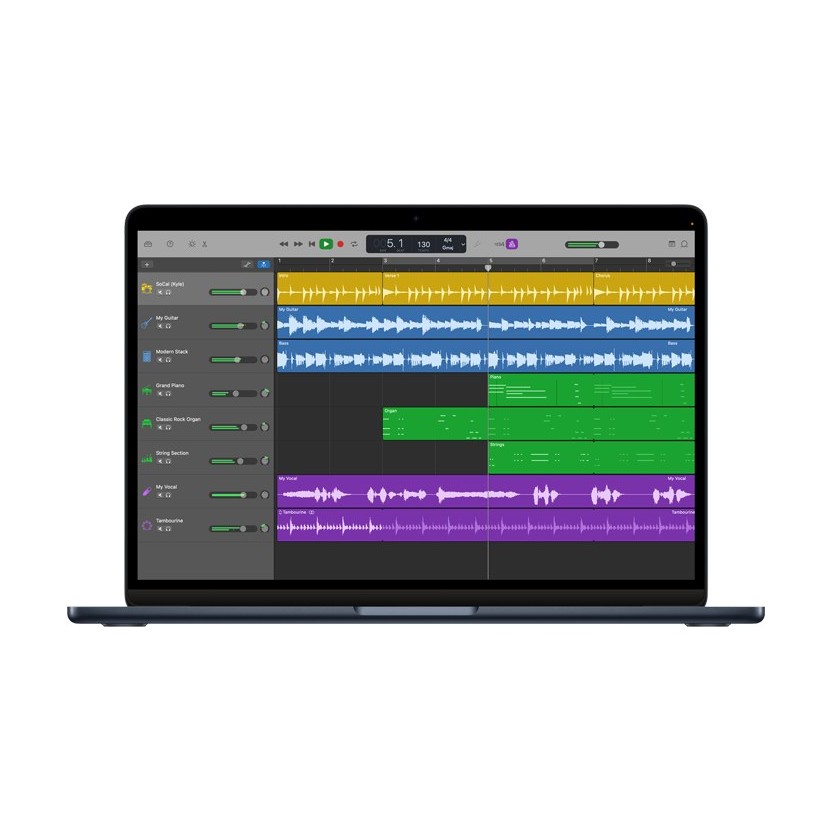
If you have a Mac, start here. GarageBand costs nothing, it’s probably in your Applications folder already, and if it isn’t, it’s on the Mac App Store. It’s the best free DAW a Mac owner can get, and one of the friendliest for a beginner.
It’s a real recording program, not a sketchpad. A song can have up to 255 tracks, far more than you’ll use, and you can record several takes of a part and keep the best one. Drummer, Apple’s virtual session drummer, plays along to your song and takes direction, which beats programming drums one hit at a time. There are piano and guitar lessons built in, too.
The catch: it has fewer features than paid DAWs, and it’s Mac only. The first matters less than it sounds, because when you outgrow it, Logic Pro opens your GarageBand songs as they are.
On Windows: Waveform Free
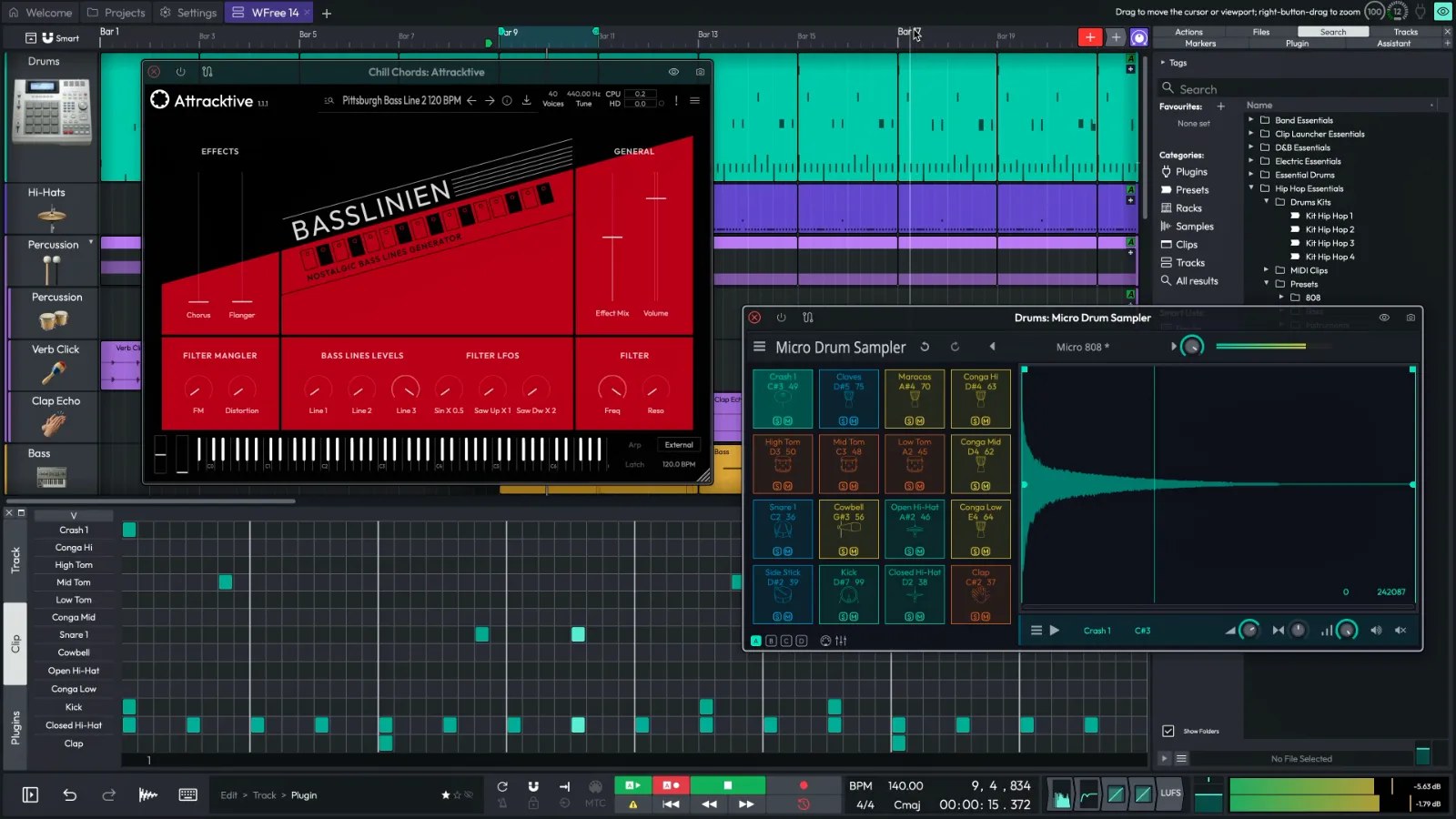
Windows has no GarageBand, but Tracktion’s Waveform Free fills the gap. There’s no limit on tracks and no time limit, and it runs plugins, the add-on instruments and effects you’ll want later, in the VST and AU formats. It runs on Mac and Linux too. It’s one of the most fully featured free DAWs around, and the best free one that runs on all three. Get it from Tracktion’s site.
The catch is sounds. It comes with four instruments of its own, so you’ll soon go looking for more, and there are plenty of plugins that cost nothing. If a keyboard or interface came with Ableton Live Lite, that’s your other option: eight tracks is tight, but it’s the real Live, and a head start if you end up with Ableton Live, our loops pick below.
Best for Beats: FL Studio
See FL Studio on image-line.com $139 at Image-Line when we checked
If you want to make beats, FL Studio is the one. At its heart is a step sequencer: each drum sound gets a row of buttons, and you click in the hits, kick here, snare there, hi-hats in between. Those patterns become the building blocks of your song. It’s one of the most intuitive step sequencers you’ll find, and it makes FL Studio an excellent first DAW for beatmakers. It runs on Windows and Mac, and one license covers both.
The other reason is how you pay. Image-Line gives every owner every future version at no extra cost (it calls this lifetime free updates), so you pay once and you’re done.
Buy the Producer Edition. The Fruity Edition costs $99, but it can’t record audio and allows only eight audio clips in a project, so the day you want to rap or sing over your beat, you’d be paying again to upgrade. Producer was on sale for $139 when we checked, down from $179. The trial never runs out, but it won’t reopen a project once you’ve closed it, so it’s for trying, not for making your album.
The catch: it’s at its best making beats. It’s not ideal for recording live instruments, and some of its best plugins come only in the pricier editions. If you mostly sing and play, look at Logic Pro or Reaper instead.
Best for Electronic Music and Loops: Ableton Live
See Ableton Live on ableton.com $99 for Intro when we checked
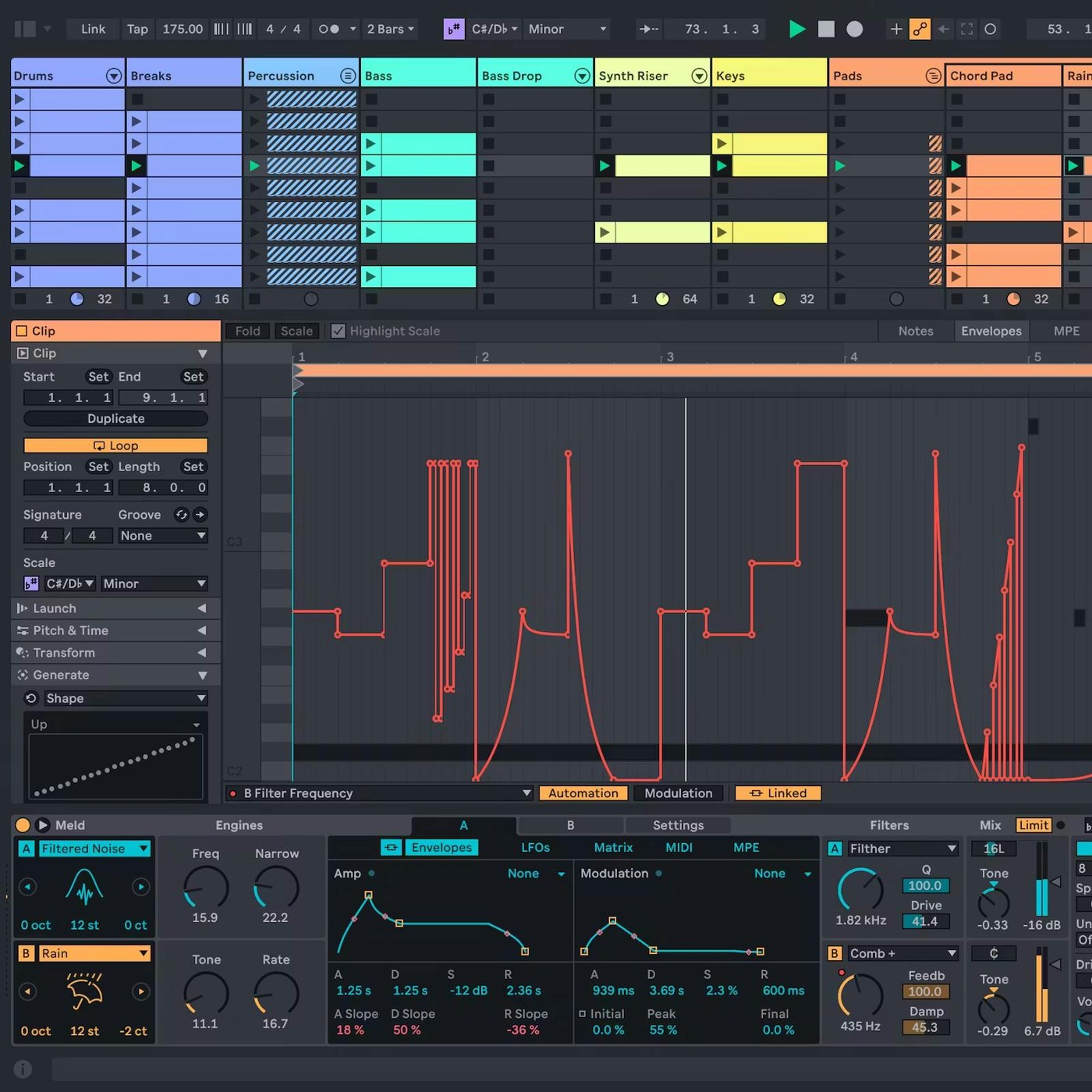
Ableton Live is built around the loops-and-patterns way of working. Its Session View is the grid in our diagram: each column is a track, each box a loop, and you start and stop them while the music plays, trying a bassline against three drum loops until something clicks. When you have parts you like, you record them into the timeline, which Live calls the Arrangement View. If you mostly make electronic music, or plan to perform it, Ableton is the DAW for you.
Start with Intro: 16 tracks, eight instruments and more than 5 GB of sounds, plenty for your first songs. The 30-day trial is of Suite, the top edition, and you may already own Live Lite, the eight-track version that comes with a lot of beginner gear.
The catch: 16 tracks go quickly once you layer drums, and Standard, which removes the limit and adds far more sounds, costs $349. Live also looks like no other DAW, which can be a little intimidating at first, and it’s less suited to recording a band.
Best for Recording Songs on a Mac: Logic Pro
See Logic Pro on apple.com $199.99 when we checked
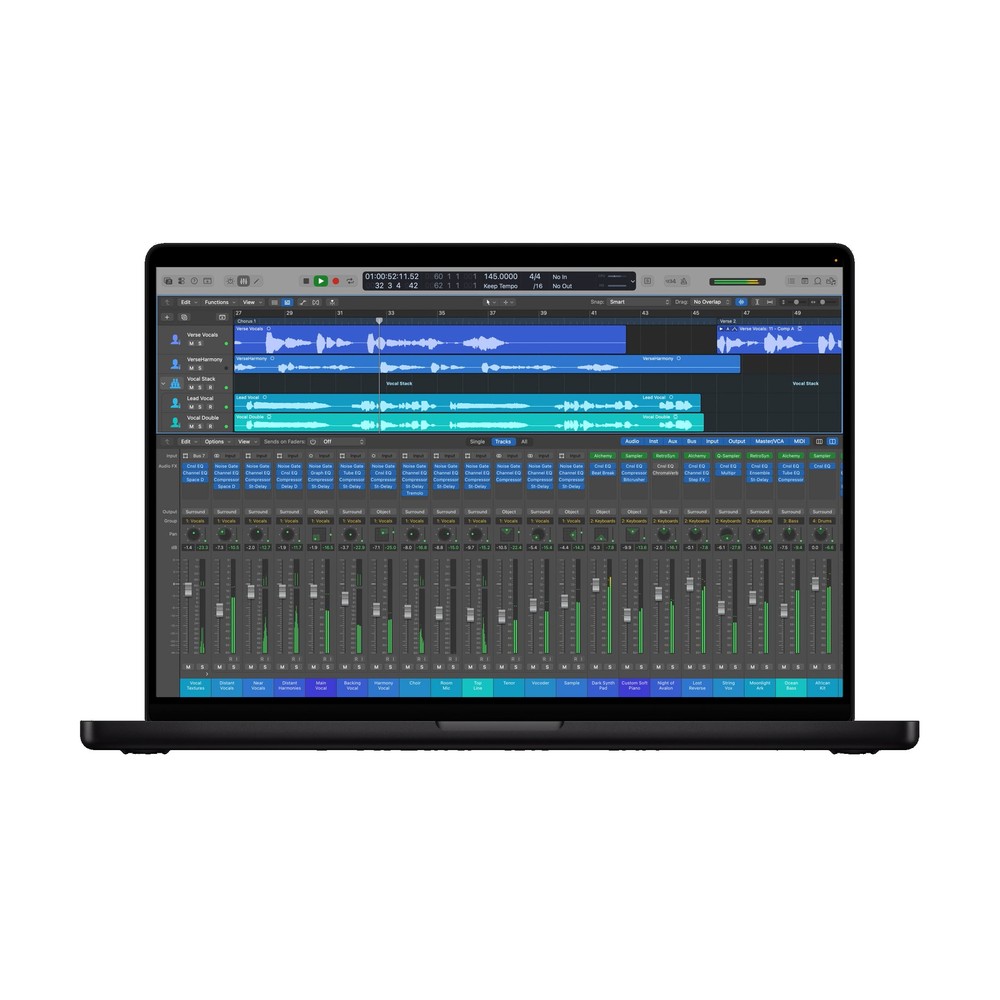
If you sing, play guitar or write songs on a Mac, Logic Pro is the step after GarageBand, and it’s a short step. It opens your GarageBand projects, so you carry on where you left off, now with deeper mixing and editing tools and a sound library of more than 70 GB. It’s about as friendly as a full DAW gets, and one of the best DAWs for beginners on any computer.
It’s also good at filling in the band you don’t have. Apple’s Session Players are virtual drummers, bass players, pianists and synth players that play along with your song’s chords, so a songwriter with one guitar can hear a full arrangement before anyone else plays a note.
You pay once, and updates are free after that. To try it first, Apple’s Creator Studio subscription includes Logic Pro, at $12.99 a month after a 30-day trial.
The catch is the Mac it needs. Logic Pro runs only on a Mac with Apple silicon and macOS 15.6 or later, so an older Intel Mac can’t run it. Check yours under About This Mac in the Apple menu before you buy.
Best on a Tight Budget: Reaper
See Reaper on reaper.fm $60 when we checked
If money is tight, the free picks come first. Reaper is for the day you outgrow them and want a full program without paying full price. Its personal license costs $60 for anyone using it for themselves or earning less than $20,000 a year, and there are no editions to choose between: you get everything. You can try all of it for 60 days first, and the license covers every update to the end of version 8.
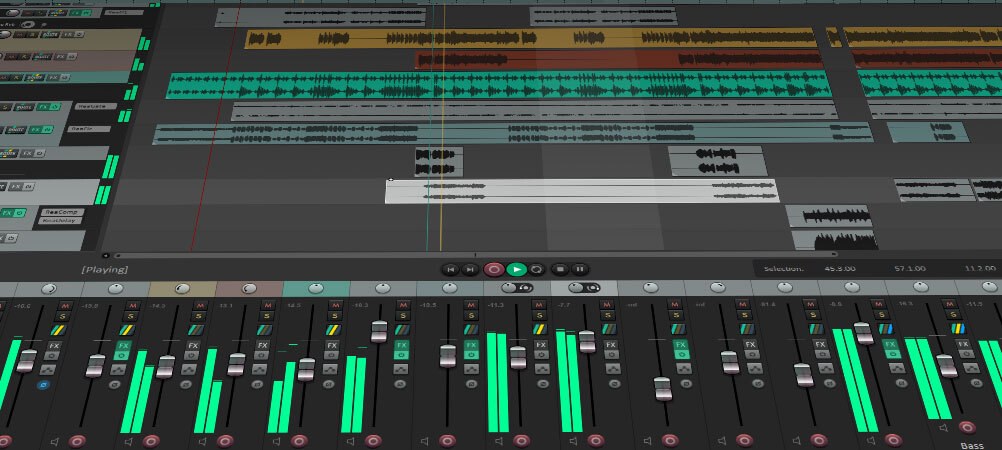
For that, you get one of the best-value DAWs there is. Reaper 7, the current version, is a tiny download, runs on Windows, Mac and Linux, and is quick at editing audio.
The catch is the first evening. Reaper opens to a nearly empty screen, comes with few instruments, and expects you to set it up your way. That’s exactly why it’s rarely anyone’s first pick for a beginner. If you’re patient and mostly record your voice or an instrument, set aside an evening with a getting-started video, and $60 buys you a DAW you’re unlikely to outgrow. If you make beats, FL Studio is worth the extra money.
Also worth a look: Studio Pro, Bitwig and Pro Tools
Three more names you’ll hear. Fender Studio Pro, called Studio One until Fender renamed it in January, is a strong all-rounder for recording and mixing and an easy way into DAWs for a beginner, and a license that doesn’t expire was $199.99 at launch. Bitwig Studio is the tinkerer’s choice, made for experimenting with sound, with editions from $99 for Windows, Mac and Linux. And Pro Tools is still the standard in professional studios, which is why you’ll see it in so many videos. Its Intro version costs nothing but stops at eight audio tracks, and it doesn’t hold a beginner’s hand. Learn it if you’re aiming to work in studios. Otherwise, there are friendlier places to start.
Will you have to switch later?
Probably not, and if you do, you lose less than you’d think. Tracks, MIDI, plugins and automation work the same way in every DAW, so learning a second one is mostly finding where things live. Projects don’t open in another maker’s program, apart from GarageBand songs in Logic, but you can always export each track as an audio file and pick up where you left off.
If you’re still fuzzy on what a DAW does, our guide to what DAWs are covers the basics. A MIDI keyboard is the next thing most beginners add, and every keyboard in our MIDI keyboard guide works with every DAW here. When you’re stuck for what chord comes next, our Next Chord Finder suggests one, plays it, and lets you take the progression into your DAW as MIDI. And for the days you open your DAW and nothing comes, we have tips for getting unstuck.
How we picked
Software can’t be measured the way speakers can, so we picked on what a beginner lives with: the way of working each DAW starts you in, the computers it runs on, what its cheaper editions leave out, and what it costs to start. We read the guides and reviews we could find for each DAW, then checked every edition, limit and price on the makers’ own US sites on November 7, 2026. We also looked at what comes in the box with beginner gear, and at what our readers search for. We redo this guide every year.
Happy producing.