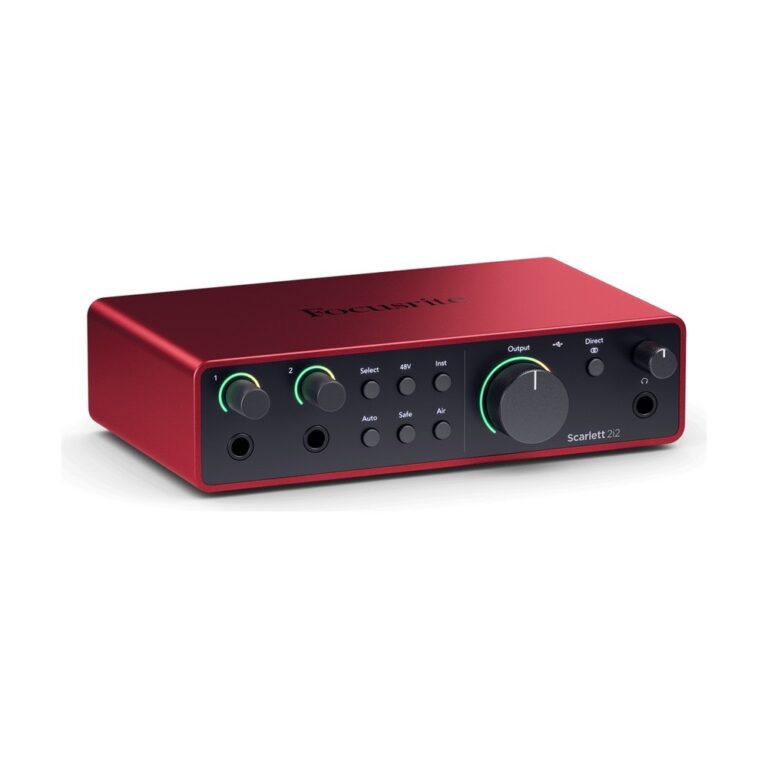
Search for a first audio interface and you’ll find the same small box in red, black and gray, at prices a few dollars apart, all promising 24-bit, 192 kHz and “studio quality”. Every one has glowing reviews. Ask online and you’ll get twenty answers, each from someone who owns one.
What the boxes don’t tell you is that at this price, the interface rarely decides how your recordings sound. Your mic, your room and your performance do. What the interface decides is how easy your first months are. So this guide picks the best audio interface for beginners by what you’ll actually record, one for each kind of first studio, with the catch of each.
What actually matters in a first interface
Line up ten interfaces at the same price and they look like the same box in different colors. In the ways that matter to a beginner, most of them nearly are. Every one from a maker you’ve heard of records cleanly enough for a first studio, so the sound is rarely what separates them. These four things do.
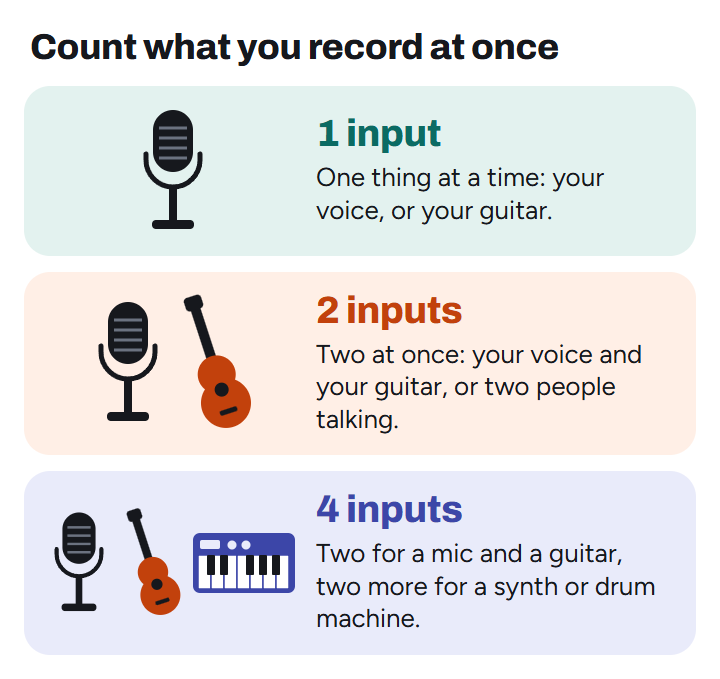
How many inputs. Count the things you’ll record at the same time, not the things you own. One voice or one guitar at a time needs one input. Your voice and your guitar together, or two people talking, needs two. That’s why the two-input boxes are the ones everybody buys.
Help setting the level. Getting the gain right is the step beginners most often get wrong: too low and you record hiss, too high and the loud parts crackle for good. Newer interfaces can set it for you. Focusrite calls it Auto Gain and Audient calls it Smartgain, and it’s worth more than any number on the box.
Hearing yourself without a delay. Look for direct monitoring, which sends your voice straight to your headphones instead of the long way around through the computer. Sing with even a small delay in your ears and your timing goes.
Drivers that keep working. The box is only half of what you buy. The other half is the software that lets your computer talk to it, and that’s where an interface is most likely to let you down: crackles, dropouts, or no update for the next version of your computer’s system. A maker with a long record of keeping its drivers current is worth a few dollars more.
Still deciding whether you need one at all? Start with Do You Need an Audio Interface? and come back.
The picks at a glance
| If you want | Our pick | Price | Inputs | The catch |
|---|---|---|---|---|
| One box for most first studios | Focusrite Scarlett 2i2 (4th Gen) | $224.99 | 2 mic or guitar | Two inputs is the ceiling |
| One voice or one guitar | Audient EVO 4 | $161.99 | 2 mic, 1 guitar | One knob does everything |
| Streaming and podcasts | MOTU M2 | $199.95 | 2 mic or guitar | No automatic gain |
| A tight budget | Behringer UMC202HD | $86.90 | 2 mic or guitar | No help setting levels |
| Room for a synth or drum machine | Focusrite Scarlett 4i4 (4th Gen) | $309.99 | 2 mic or guitar, 2 line | Still only two mic inputs |
Not sure which kind of studio you’re building yet? Get the first one.
Best Audio Interface for Most People: Focusrite Scarlett 2i2 (4th Gen)
Check the price on Amazon $224.99 when we checked
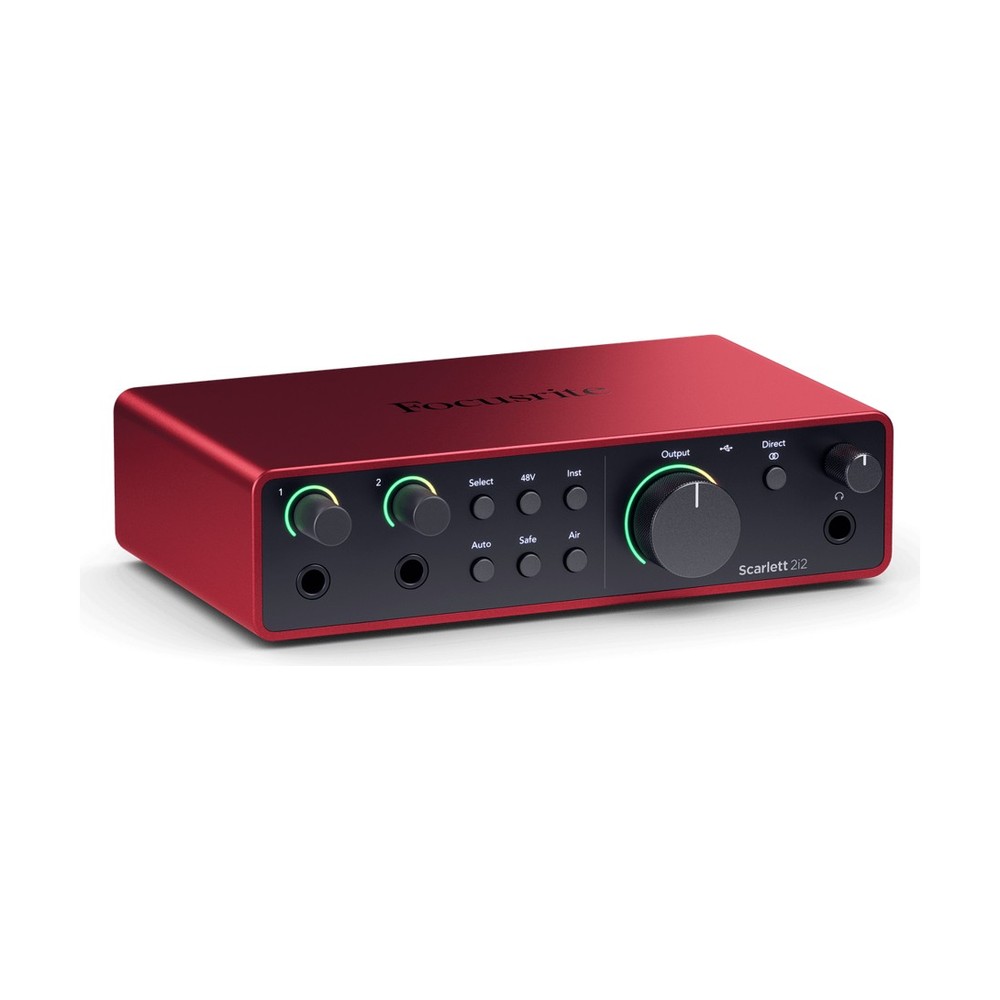
This is the one we’d tell most beginners to buy, and it’s the pick in our guide to whether you need an interface at all. Two inputs that each take a mic or a guitar, phantom power for condenser mics, two outputs for monitors and a headphone jack, in a metal case that runs off your computer’s USB-C port. That covers nearly every first studio.
What makes it great for a beginner is how much of the fiddly part it does for you. Press Auto, sing or play for a few seconds, and it sets your level; Sound On Sound said Auto Gain “worked flawlessly” in its tests. Clip Safe keeps listening after that and turns the gain down if you suddenly get loud, before the take is ruined. There’s more gain than the last generation had, 69 dB against 56, which helps the day you buy a quiet dynamic mic. And Focusrite keeps adding to it: a software update since launch added loopback, which sends your computer’s sound into a stream or a call along with your mic.
The catches: two inputs is the ceiling, so a drum kit or a band needs a bigger box. If you’ll only ever record one thing at a time, you’re paying for an input you won’t use. And it costs more than it did at launch: $199.99 then, $224.99 when we checked.
Universal Audio’s new Volt 2 now has automatic gain too, at a similar price. It came out in October 2026, though, and drivers earn trust over years, not weeks. For now, the Scarlett is the safer bet.
Best for One Voice or One Guitar: Audient EVO 4
Check the price on Amazon $161.99 when we checked
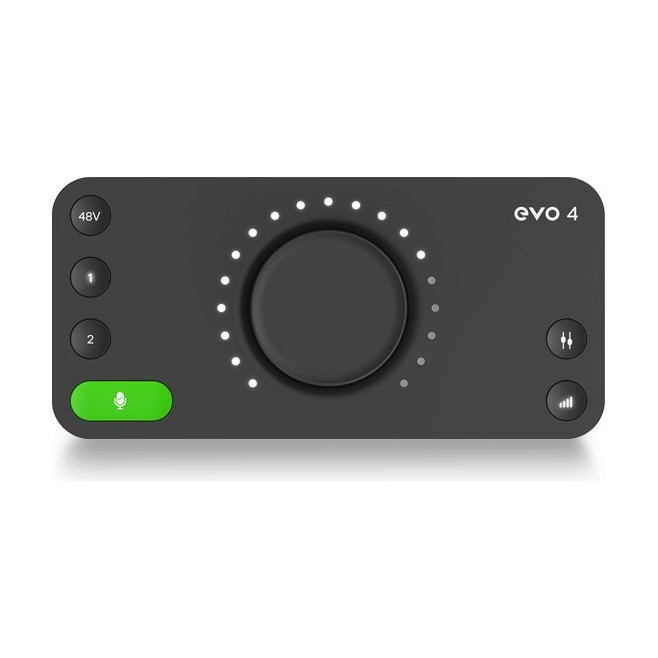
If you record one thing at a time, a vocal over a beat, a podcast voice or a guitar, you don’t need to pay for the 2i2. The EVO 4 costs less and still does the part that matters most. Press the green Smartgain button, perform for about ten seconds, and it sets the level for you. Sound On Sound called it “quite brilliant” and found it reliable on mics, guitars and line sources alike.
It also has more in it than its size suggests. There are two mic inputs on the back, so a second voice is possible after all, and a guitar input on the front that takes over the first channel. Loopback for streaming is built in, and its software mixer lets you hear yourself straight from the inputs with no delay. Sound On Sound summed it up as “a great little lump of an audio interface”.
The catch is the design that makes it simple. One big knob does everything, so you press a button to choose whether it’s turning input 1, input 2 or the volume, and you can’t read every setting at a glance. The case is plastic, there’s no power switch, and plugging in headphones mutes the speakers whether you want it to or not.
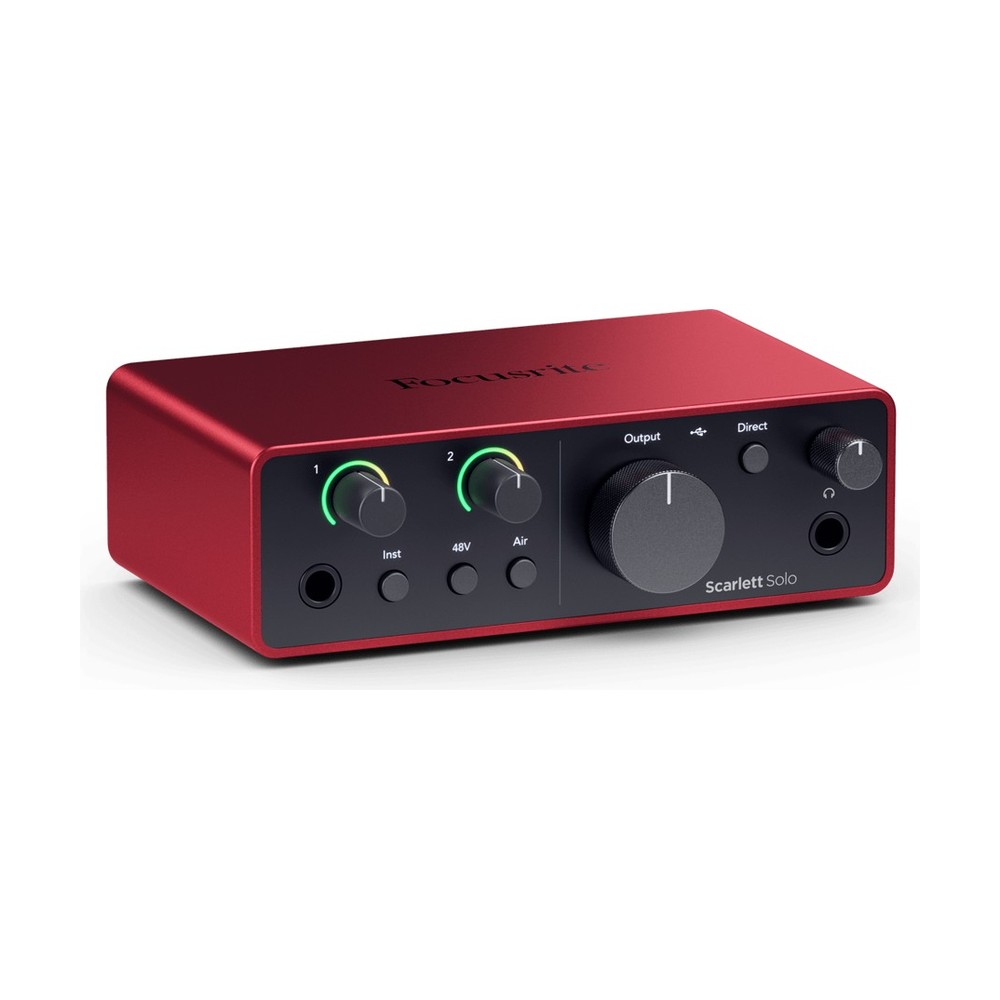
Also good, if you’d rather turn knobs: Focusrite Scarlett Solo (4th Gen)
Check the price on Amazon $159.99 when we checked
The Solo has one mic input and one guitar input, each with its own knob, and a direct monitor button you can see. If you like every setting in plain view, it’s the easier one to live with. But it’s the only 4th Gen Scarlett without the new preamp, Auto Gain and Clip Safe, as Sound On Sound pointed out, and it costs about the same as the EVO 4. That’s why the EVO gets our pick.
Best for Streaming and Podcasts: MOTU M2
Check the price on Amazon $199.95 when we checked
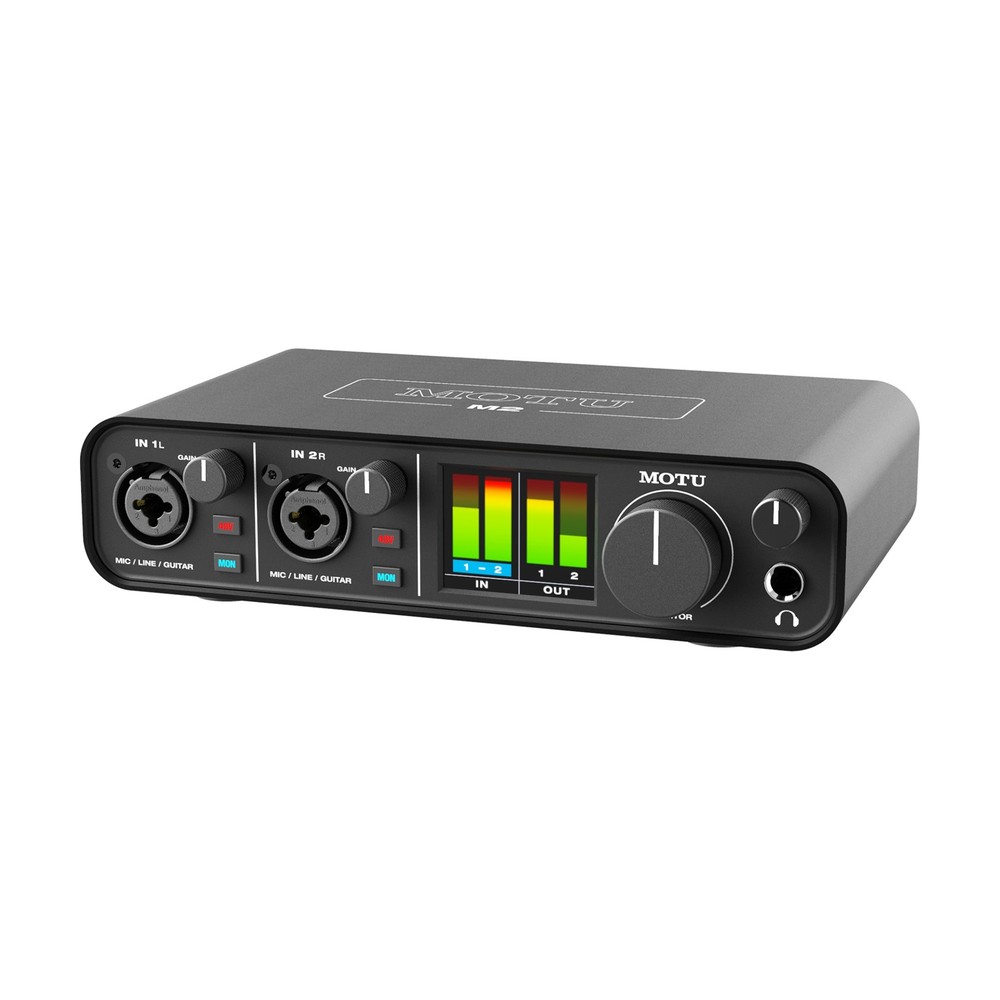
When you’re live, there’s no second take, so this pick is about seeing your levels. The M2 has a small color screen with proper meters for both inputs and both outputs, and Sound On Sound called it “by far the best metering” it had seen on this sort of interface. One glance tells you whether your voice is too quiet or about to clip, which is exactly what you need halfway through a stream.
The rest is solid too. Each input has its own phantom power switch and its own monitor button, the case is metal with a real power switch, and the loopback driver sends your computer’s sound into OBS or a call along with your mic. Sound On Sound called that “a stunningly useful feature for podcasters and live streamers”. It even cost less than the 2i2 when we checked, so if you’d rather set levels by eye than by button, it’s a fine choice for music too.
The catches: there’s no automatic gain, so you set each level yourself, with those meters to help. There’s one headphone jack, so a podcast guest who wants to hear themselves needs a headphone splitter. And it comes with a USB-C to USB-A cable, so a laptop with only USB-C ports needs a different one.
Best on a Tight Budget: Behringer UMC202HD
Check the price on Amazon $86.90 when we checked
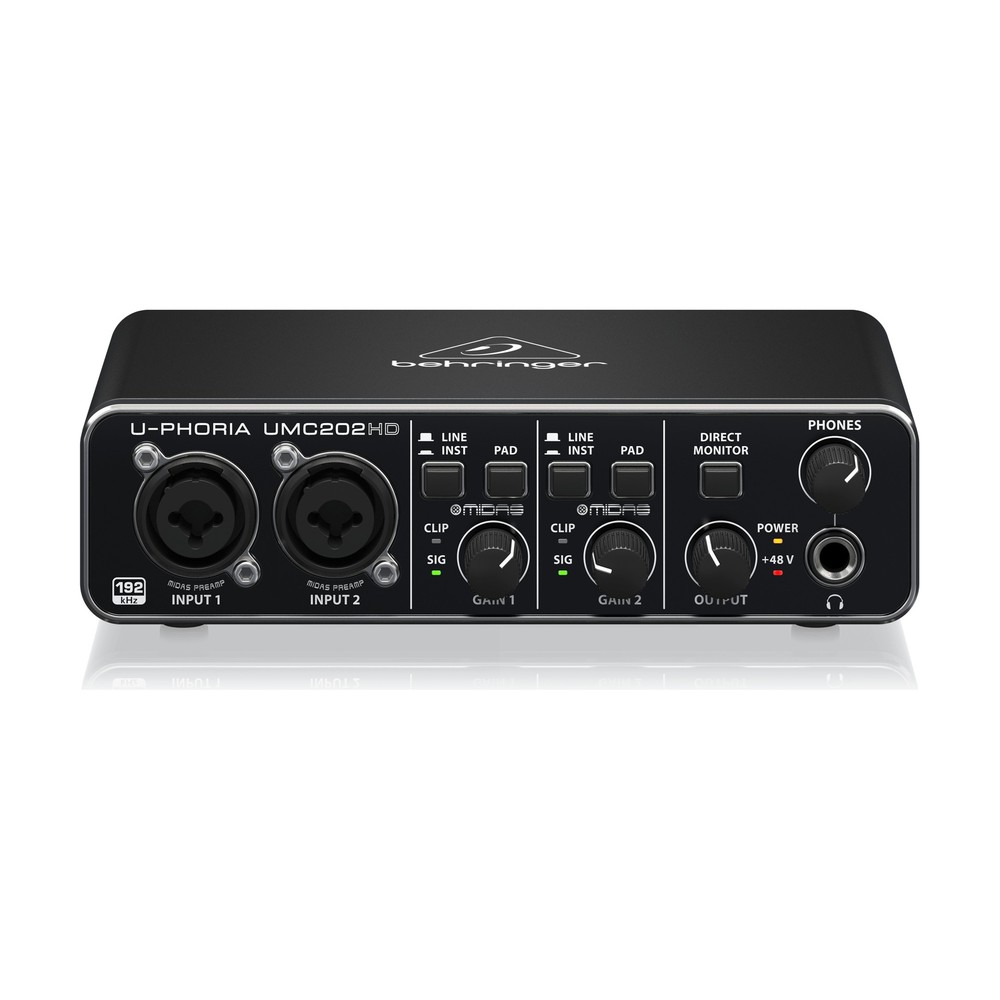
If $160 is more than you can spend right now, the UMC202HD gets you a real two-input interface for about half. Both inputs take a mic or a guitar, each with a Midas-designed preamp, its own gain knob and a pair of lights for signal and clipping. There’s phantom power for condensers, a direct monitor button so you hear yourself without a delay, and two outputs for monitors. American Songwriter’s reviewer called it “the perfect all-in-one solution” for a first home studio, though they found the preamps “a bit too tame” for their liking.
The catches are where the money went. Nothing helps you set the level, so you’ll be watching those little lights. There’s no loopback for streaming. The case is mostly metal, but the reviewer found it “feels flimsy and cheap at times”. And on Windows, download Behringer’s own driver from its site, or you’ll hear more delay than you should. None of that stops you making a record. It just makes the first month a little harder.
Best for Room to Grow: Focusrite Scarlett 4i4 (4th Gen)
Check the price on Amazon $309.99 when we checked
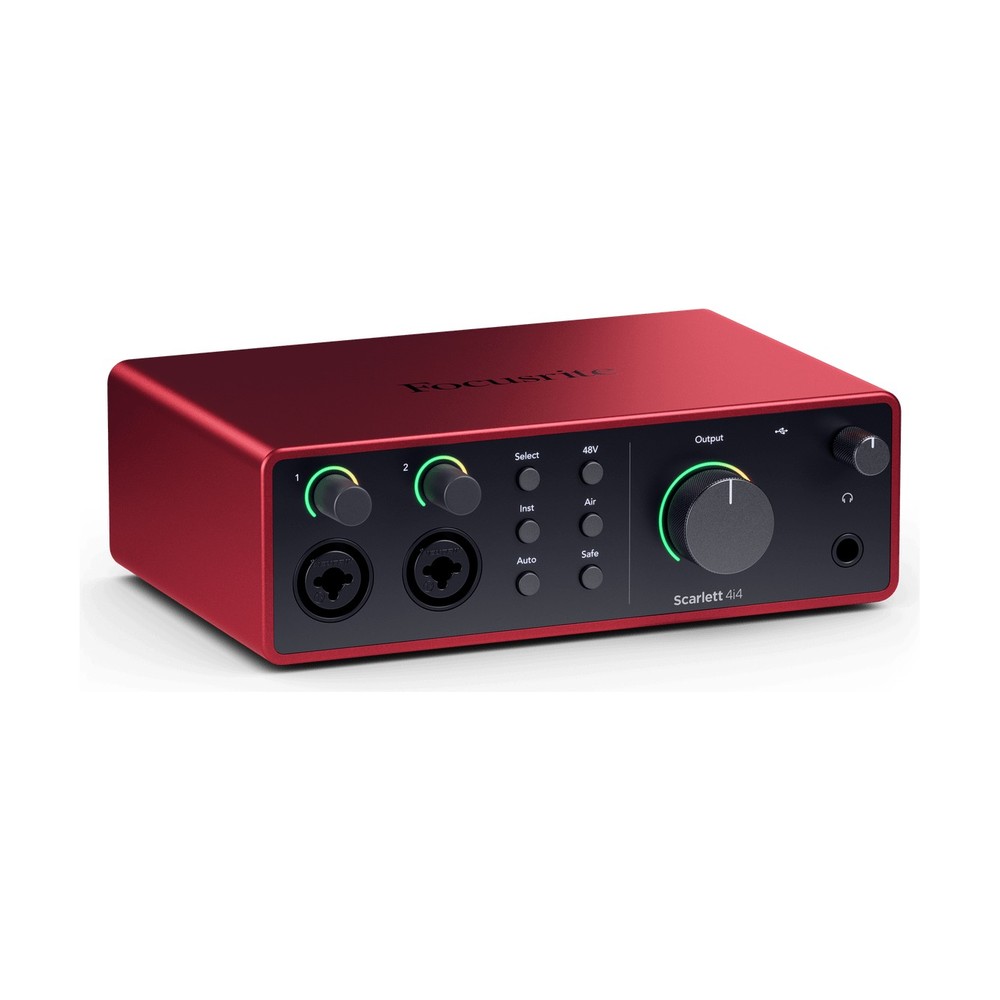
If a synth, a drum machine or a second pair of speakers is already on your list, the 4i4 saves you buying twice. It’s the 2i2 with more around the back: two extra line inputs, so a synth can stay plugged in next to your mic and guitar, MIDI In and Out for hardware, and a second pair of outputs. The two front inputs have the same Auto Gain and Clip Safe as the 2i2, and Focusrite’s software mixer handles direct monitoring and loopback.
The catch is what “room to grow” means here. It still has only two mic inputs, so it won’t record a drum kit. It can need more power than some computers give, so it comes with its own USB-C power supply. And at $309.99 when we checked, it’s $85 more than the 2i2, which is a lot to pay for inputs you might never use. If you know drums are coming, look at the Audient iD14 MkII instead: its optical input can add eight more mic inputs later, through an add-on preamp.
The numbers on the box
Every interface here says 24-bit, and most say 192 kHz. Some now say 32-bit. None of those numbers will decide how your first recordings sound.
Bit depth is how finely each moment of sound is measured, and 24-bit already leaves far more room between the hiss and the loudest note than a bedroom recording will ever use. Sample rate is how many times a second it’s measured. Most music is made at 44.1 or 48 kHz, and higher rates mostly make bigger files and work your computer harder. Our explainer on sample rate and bit depth covers the why.
The numbers worth comparing are the four at the top of this page: how many inputs, whether it helps you set the level, how you hear yourself, and how long the maker has kept its drivers current. Only the first is printed on the box.
What you’ll plug into it
An interface is only the middle of the chain. If you haven’t chosen a mic yet, read USB or XLR first, because a USB mic skips the interface entirely. Then dynamic or condenser: a condenser needs the 48 volts every pick here provides, and our guide to phantom power explains what that button does. A dynamic mic doesn’t need it, and a quiet one is where the 2i2’s extra gain earns its keep.
On the way out, the two line outputs on the back feed a pair of studio monitors. Our best studio monitors at every price starts under $100 a pair. Use balanced cables, with TRS jacks or XLR plugs at the speaker end, to keep hum out.
The interfaces we’ve reviewed
We’ve reviewed a few interfaces over the years. Here’s how they compare with today’s picks.
The Focusrite Scarlett 2i2 we reviewed in 2019 was the second generation, and we called it “a no-brainer for beginner producers”. That still holds. The 4th Gen keeps the same idea and adds Auto Gain, Clip Safe and more gain.
The Yamaha Steinberg UR12 is a one-mic, one-guitar box like the Solo, and it comes with Cubase AI. It’s a dependable start, but setting the level is up to you.
The Apogee Duet 2 sounds superb and looks lovely next to a Mac or an iPad, but it was designed around Apple’s devices, and Apogee has since replaced it with the Duet 3, which cost $699 at launch.
The Universal Audio Arrow connects over Thunderbolt and runs UA’s plugins on a chip of its own. UA now sells it as the Apollo Solo. It’s a great box for a Mac owner who wants those plugins, and more than a first studio needs.
How we picked
At this price the sound rarely separates one interface from another, so we judged them on what a beginner lives with every day: inputs, help setting the level, hearing yourself without a delay, and drivers that keep working. We started from Sound On Sound’s reviews of the Scarlett 4th Gen range, the EVO 4, the MOTU M2, the SSL 2 MkII and Audient’s iD14 MkII, and American Songwriter’s review of the UMC202HD, then the makers’ published specs, then our own reviews. Each pick had to be sold new on Amazon on the day we checked, and the prices are Amazon’s on that day. We redo this guide every year.
Happy producing.